Benutzer können schnell einen Remote-Desktop für den Medienzugriff mit einer intuitiven Benutzeroberfläche einrichten, die die Zusammenarbeit und den kreativen Prozess fördert. Für die effektive Nutzung von HelpWire sind keine speziellen technischen Kenntnisse erforderlich.
Remotedesktop für Medienkreative
HelpWire vereinfacht den kreativen Prozess mit sicherem, nahtlosem Fernzugriff auf Hochleistungs-Workstations und ermöglicht Medienprofis, von überall aus überzeugende Inhalte zu bearbeiten und zu erstellen.
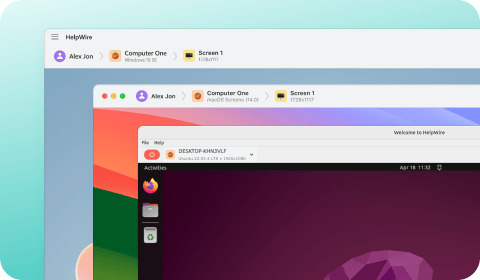
Eine benutzerfreundliche Lösung

Plattformübergreifende Unterstützung
HelpWire bietet eine plattformübergreifende Remote-Desktop-Lösung für Medienschaffende. Die Software unterstützt Windows-, macOS- und Linux-Geräte, um die Zusammenarbeit zu fördern, indem kreative Teams mit ihren bevorzugten Betriebssystemen arbeiten können.
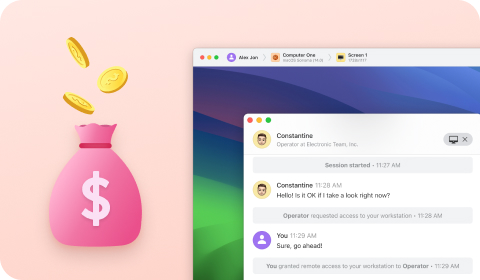
Kostenlos nutzbar
HelpWire ist als kostenlose Lösung verfügbar und eignet sich daher gut für Kreativteams, die Fernzugriff benötigen und gleichzeitig die Kosten minimieren möchten.
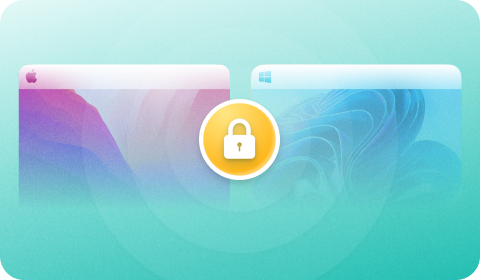
Sicherer Zugriff
HelpWire unterstützt sicheren Fernzugriff mit AES-256-Bit-Verschlüsselung, TSL/SSL-Konnektivität und Auth0-Authentifizierung. Die Software wird auf sicheren AWS-Servern gehostet, und die Anwendungen sind von DigiCert signiert, um die Integrität zu gewährleisten. Kreativteams können ihre sensiblen und wertvollen Daten schützen, wenn sie remote darauf zugreifen.
HelpWires beeindruckender Funktionsumfang
HelpWire bietet Kreativteams sicheren Fernzugriff und eine optimierte kollaborative Plattform durch leistungsstarke Funktionen.

Überlegene Bildqualität
Benutzer können die Bildrate ihrer Remotedesktop-Sitzung manuell anpassen, um die Geschwindigkeit der Internetverbindung zu emulieren, oder HelpWire die Leistung automatisch optimieren lassen.

Anpassbare Bildgröße
Benutzer können die Größe eines per Fernzugriff empfangenen Bildes anpassen, um eine optimale Anpassung an Ihre Anzeige zu gewährleisten.

Schnelle Fernsteuerung und Support
Stellen Sie schnelle Verbindungen zu Client-Arbeitsstationen mit eindeutig generierten Links her, sodass der wiederholte Austausch von Passwörtern, Tokens oder IDs entfällt.

Intelligente Datenübertragung
HelpWire kann automatisch zwischen Verbindungen über Proxy-Server oder P2P-Verbindungen wählen, um die Datenübertragungsgeschwindigkeit zu optimieren.

Mehrbildschirmansicht
Kreativteams können in einer Remote-Sitzung zwischen mehreren Bildschirmen wechseln oder sie nebeneinander anzeigen, um eine effizientere Zusammenarbeit und eine höhere Produktivität zu ermöglichen.

Dateifreigabe
Benutzer können Dateien einfach auf einen Remote-Computer übertragen, indem sie sie per Drag-and-Drop auf ein Sitzungsfenster ziehen.
Vorteile von HelpWire für Medienschaffende
Echtzeit-Zusammenarbeit
HelpWire unterstützt die Zusammenarbeit in Echtzeit mit Teammitgliedern oder Kollegen, die sich überall auf der Welt befinden. Die Software nutzt fortschrittliche Videokomprimierungstechnologie, um die Latenz zu verringern und reibungslose Remote-Verbindungen bereitzustellen. Teammitglieder können weltweit zusammenarbeiten, als säßen sie im selben Raum.
Optimierter kreativer Remote-Workflow
HelpWire optimiert den kreativen Workflow Ihres Teams, indem es Ihnen ermöglicht, Echtzeit-Support anzubieten, Videos zu bearbeiten und mit mehreren Remote-Kollegen von jedem Standort aus zu interagieren. Sie können die verschwendete Zeit und die Reisekosten vermeiden, die für die Verwaltung entfernter Geräte anfallen, indem Sie Software verwenden, die Ihnen dieselbe Funktionalität wie ein Vor-Ort-Besuch bietet.
Videos aus der Ferne bearbeiten
HelpWire unterstützt die Remote-Videobearbeitung auf Windows-, Linux- und macOS-Systemen. Benutzer werden die Einfachheit genießen, sich von jedem Standort aus mit Remote-Servern zu verbinden, um Bearbeitungsaufgaben effizient auszuführen.
Was unsere Nutzer sagen

4.6
Basierend auf 209 Kundenrezensionen

Version
2.2, der 4. Feb, 2026

Kompatibilität
macOS, Windows, Linux

Preis
Kostenlos
Hier finden Sie einige öffentliche Kundenbewertungen zu HelpWire aus verschiedenen Quellen. Alle Bewertungen werden in ihrer Originalsprache angezeigt.

I got a gatvol of teamviewer and its issues and moved over to HelpWire and I'm blown away.
Fast, effective and doesn't drain my computer's resources.
It works really well props to the devs.

My experience with HelpWire has been fantastic! The remote control process is incredibly smooth.

I appreciate HelpWire for its ease of use and comprehensive remote support tools all in one place.

HelpWire streamlines the remote support, allowing me to manage multiple clients efficiently, which improved overall service quality and client satisfaction.

The fact that I can easily segregate my clients and have a full history of my connection to them is amazing. I like the fact that I can send a link to them and then talk them through what to do when they receive it (many are elderly and techo-illiterate). The emails and link are professional and give them reassurance. I like unattended access for those clients that need that extra layer of help. Love this app.

The swift setup process and zero- configuration requirement for starting remote support sessions are what I appreciate most about HelpWire. It's remarkable how quickly I can connect with clients and start troubleshooting without any hassle.

Very good and free alternative to TV. Easy to use and nice concept. No annoying disconnections and forcing to buy premiumbussiness subscription or smth like that.

As a long-time TeamViewer user for personal projects and helping family, I grew increasingly frustrated with its frequent disconnections and persistent "commercial use" warnings. I decided to search for an alternative and found Helpwire. I am incredibly impressed. Helpwire provides a stable, reliable connection without any of the interruptions I faced before. The setup is simple, and it just works.

Its a great tool for remote support. It doesn't have the bells and whistles of its commercial rivals, but ask yourself how often do you need that stuff ? If you want to help someone out on a PC issue, or connect to a server for some admin this is perfect.

HelpWire software has been an invaluable asset for streamlining our customer support processes.

Probably the best free remote access app. I like seamless remote desktop experience and copy/paste functionality, reliability, and the fact it is free to use.

The experience is fantastic with a very smooth remote session experience. The optimised performance and smart connectivity feature ensures a seamless remote session with zero-lag.
It was handy for the odd occasion that someone needs a hand with their computer while I am not nearby. It was very reliable and able to see the other's screen to provide directions.
Absolutely Brilliant. Having worked on a whole bunch of other remote support software, from solarwinds dameware to anydesk and teamviewer, vnc viewer and the like, I have never had the joy I am having with Helpwire.

I've never been more satisfied with the service quality of a remote desktop application in my entire freelancing career. Considering the fact that it's a free remote desktop support solution, HelpWire is really worth a shot!

The interface is straightforward, so I can quickly connect to clients' devices and start troubleshooting without jumping through hoops. Plus, the performance is rock solid-no lag or sudden disconnections, which is crucial when I'm in the middle of solving a client's issue.
I appreciate Helpwire for its user-friendly interface and efficient problem-solving capabilities. It's designed to streamline the troubleshooting process, making it easier for people to find solutions to their technical issues quickly.
HelpWire really stands out for me because it's free and works seamlessly on both Mac and PC. I love how easy it is to get started. Basically, I can send a dedicated link to my colleague or client to initiate a remote session right away. The software is super fast and easy to use.
The Operator Dashboard is easy to use and you can start up a support session in seconds. The fact that it keeps the chat with the customer as well as logs of connections is a nice touch.

For nearly ten years I relied on another tool that recently became unusable, and HelpWire has stepped in as the perfect replacement.
How could I not like HelpWire! It ticks all the boxes for a great remote desktop/support service, and best of all, it's free. Real good, and worth more than a try.
Martin Lentz
Email Review

Your software worked just as well as Teamviewer. One thing works better and that is on the client side where they simply just have to grant me access. They don't have to provide me a one use password in order for me to connect.
Luca Albanese
Email Review
Simplicity of use, in particular on the client side that simply require to click on a link and give the required permissions. But the best feature, IMHO, is the ability to share the clients with other team members... and all of this for free! THANK YOU for this amazing app!!
Wilkin Miguel Julio Mercado
Email Review
It's easy to use and I didn't expect there to be a software as good as this one.
Michael Guggenbichler
Email Review
Absolutely Amazing Product for attended Access for individual operators or small teams! And you do not even have to pay!! There are so much remote access solutions, you have to pay tons of money and don't even provide the bare minimum. HelpWire Team, you're doing great! Looking forward to what you will bring in the future.