Electronic Team, web sitemizdeki deneyiminizi iyileştirmek için çerezler kullanır. Bu web sitesini kullanmaya devam ederek Çerez Politikamızı kabul etmiş olursunuz. Daha fazla bilgi burada.

Ücretsiz çevrimiçi uzak masaüstü yazılımı

HelpWire, bulut tabanlı bir uzak erişim yazılımıdır – paylaşılabilir bir bağlantıyla Windows, Mac veya Linux’taki istemcilere bu platformların herhangi birinden bağlanın. VPN yok, aynı ağ gereksinimi yok.
G2 logosu
G2
5.0
capterra logosu
Capterra
5.0
SourceForge logosu
SourceForge
5.0
TrustRadius logosu
TrustRadius
5.0

Çevrimiçi uzaktan destek için HelpWire özellikleri

HelpWire’ın özellik seti, uzaktaki bir teknik ekibin kullanıcılara sanki yerindeymiş gibi aynı düzeyde destek sunmasına olanak tanır.
Gözetimsiz erişim

Gözetimsiz erişim

Oturumu kabul edecek kimse olmadığında bile uzak bir bilgisayara bağlanın. Zamanlanmış bakım, yazılım güncellemeleri ve takip görevleri için kullanışlıdır.
İsteğe bağlı uzaktan destek

İsteğe bağlı uzaktan destek

Cihazı aktif olarak kullanan bir kullanıcıyla uzaktan destek oturumu başlatın. Sorun giderme, rehberlik ve gerçek zamanlı iş birliği gerektiren sorunlar için en uygunudur.
Güvenli bağlantılar

Güvenli bağlantılar

İstemci iş istasyonlarına güvenli bağlantı sağlamak için kalıcı, benzersiz bağlantılar oluşturun.
Birden fazla uzak oturum

Birden fazla uzak oturum

HelpWire, kullanıcıların istemci desteğini kolaylaştırmak için aynı anda birden fazla bağlantı kurmasına olanak tanır.
Çoklu monitör görünümü

Çoklu monitör görünümü

Birden fazla ekranı aynı anda yönetin, daha verimli çalışmaya olanak tanıyın ve farklı bilgisayarlar arasında geçiş yapmak için harcanan zamanı azaltın.
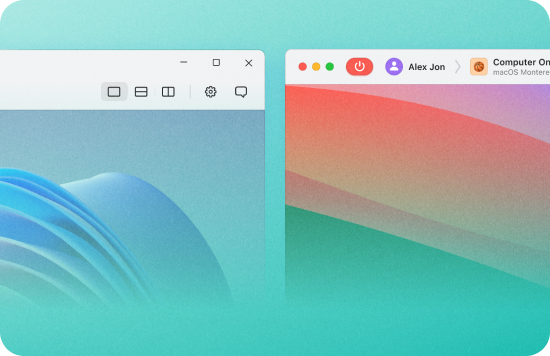
Platformlar arası destek

Platformlar arası destek

Bu çevrimiçi uzak masaüstü yazılımı, Windows, macOS ve Linux işletim sistemlerini çalıştıran cihazlar için platformlar arası destek sağlar.
Dosya aktarımı

Dosya aktarımı

Dosyaları oturum penceresine sürükleyin veya sistemler arasında kopyalamak için panoyu kullanın.
Oturum içi sohbet

Oturum içi sohbet

Yerleşik sohbet, operatörlerin uzak bir oturum sırasında müşterilerle iletişim kurmasını sağlar – ayrı bir mesajlaşma aracına gerek yoktur.

Uzaktan masaüstü bağlantısı çevrimiçi nasıl kurulur

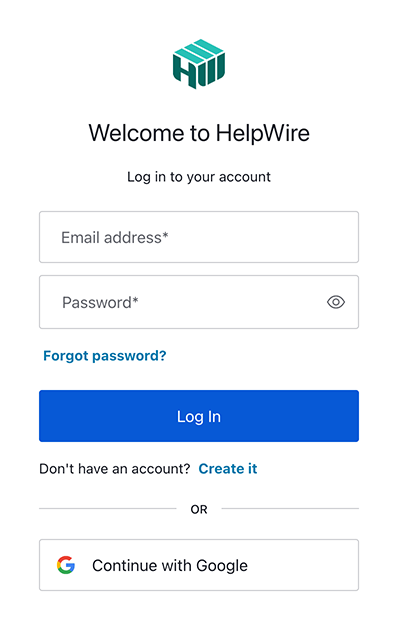
1. HelpWire hesabınızı kaydedin:
Yeni bir hesap e-posta adresi veya Google profilinizi kullanarak oluşturun.
Yeni HelpWire hesabı oluşturun
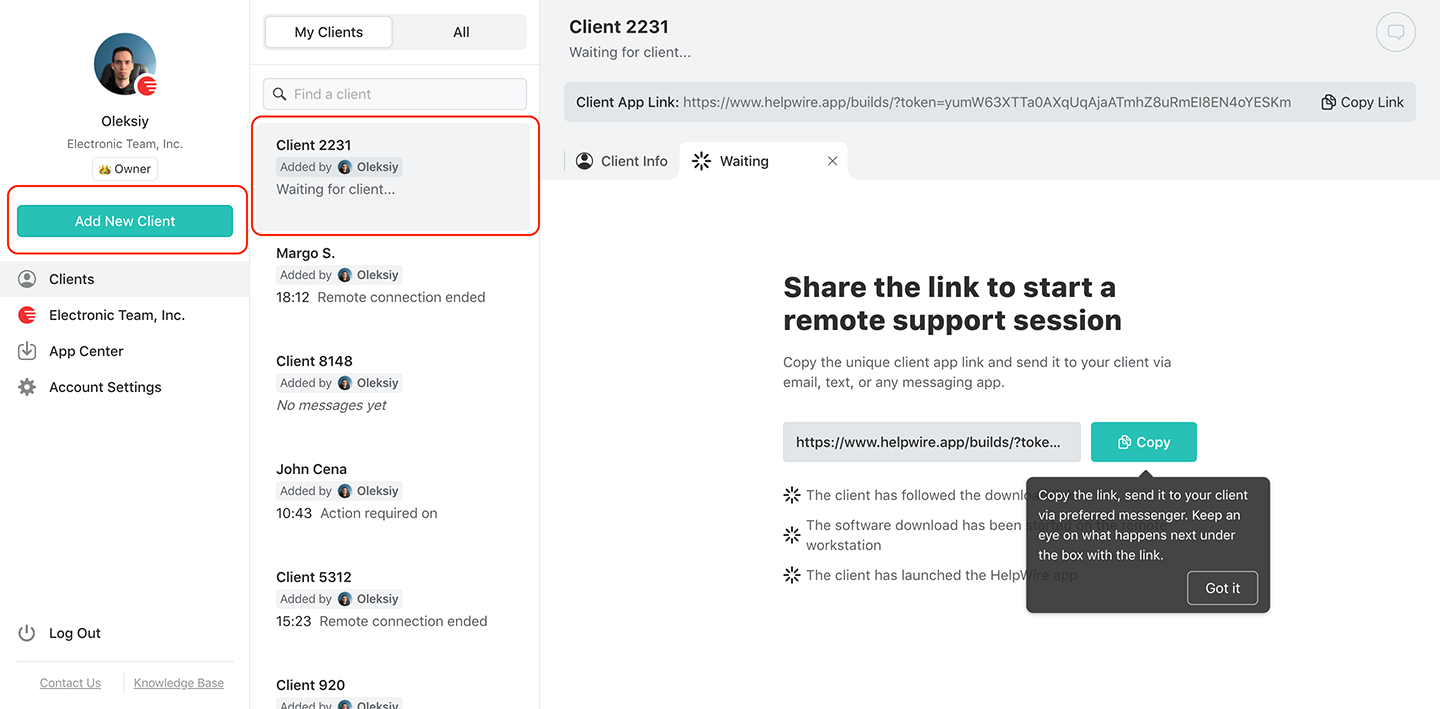
2. Yeni bir istemci oluşturun.
Yeni bir müşteri ekleyin veya mevcut bir müşteriyi seçin
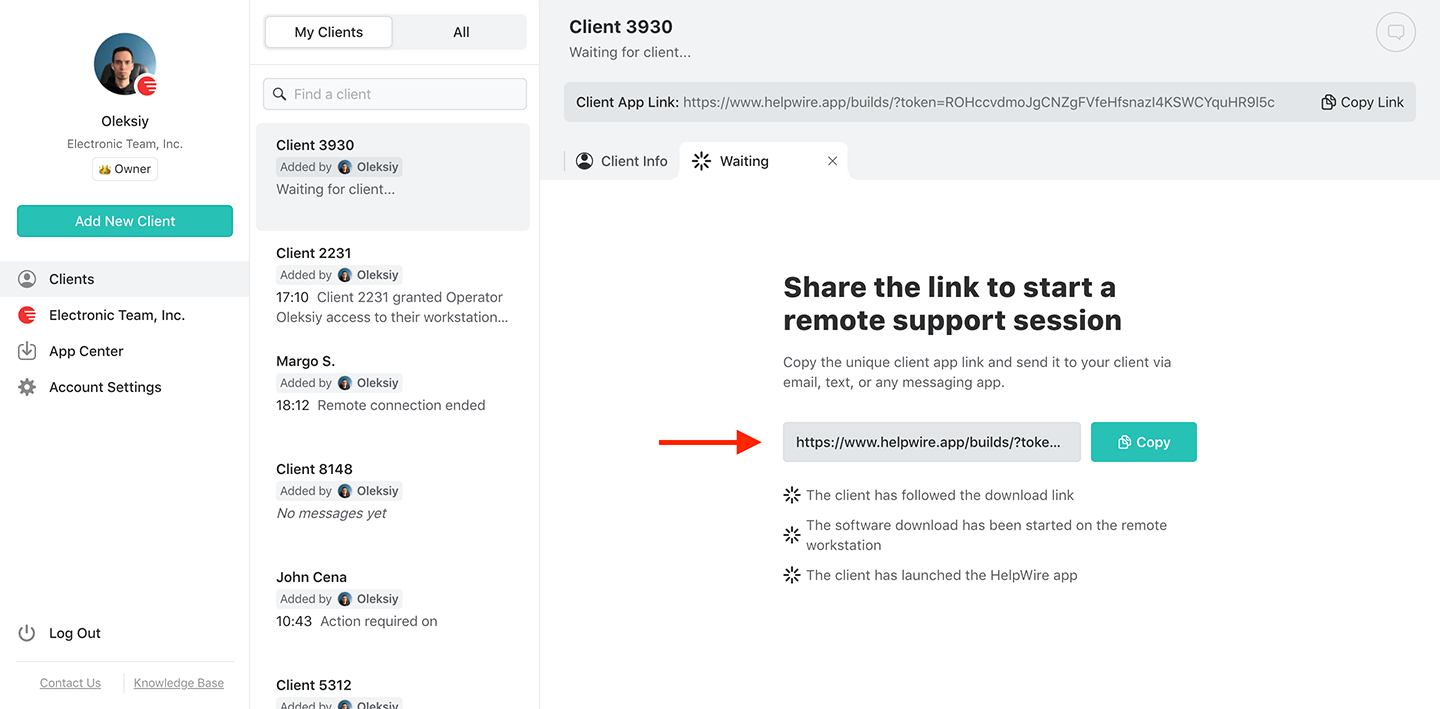
3. Bağlantıyı müşteriyle paylaşın:
İstemci profilinin kullanıcı araç çubuğunda İstemci uygulaması bağlantısını bulun. Bağlantıyı güvenli bir e-posta veya anlık mesaj yoluyla istemcinize gönderin.
Uzaktan çevrimiçi destek için bağlantıyı müşterinizle paylaşın
4. Erişim izni alın:
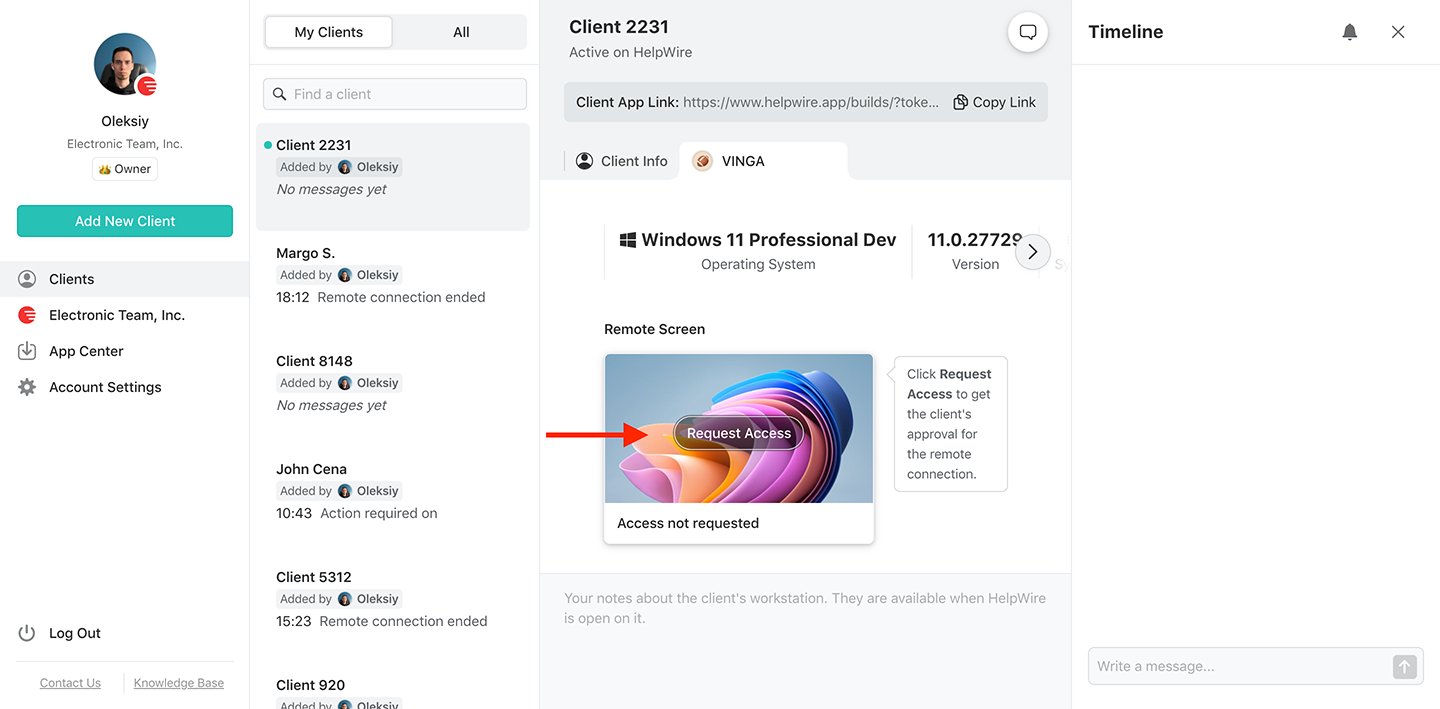
İstemci bağlantıyı aldıktan sonra, sistemlerine HelpWire Client uygulamasını yükleyip başlatmalarını bekleyin. Bu tamamlandığında, “Request Access” düğmesine tıklayarak ve istemcinin onayını bekleyerek uzak istemciden izin isteyin.
Çevrimiçi uzaktan destek için uzak istemciden erişim izinleri alın
5. Uzak istemciye bağlanın:
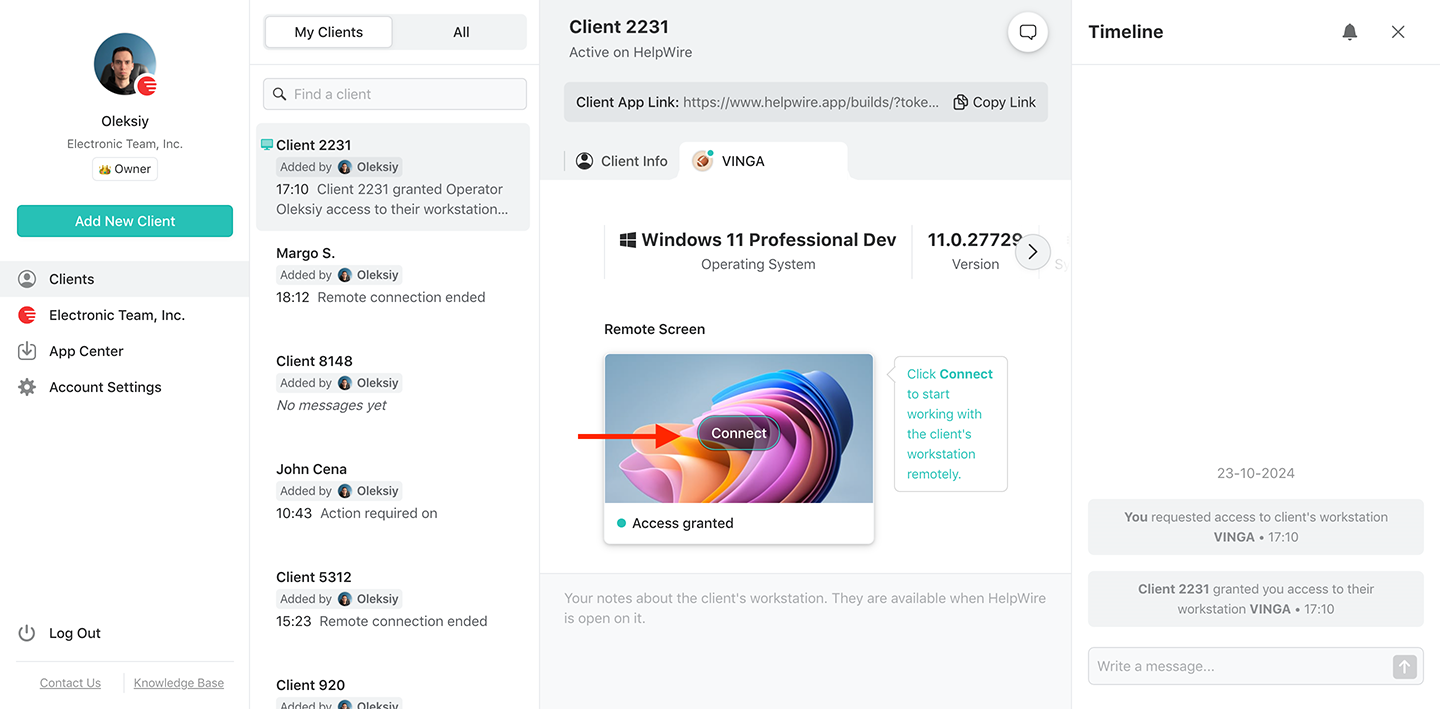
Tarayıcı tabanlı kontrol panelinde istemcinin cihazındaki “Bağlan” düğmesine basın.
Çevrimiçi uzaktan destek için uzak istemcinize bağlanın
6. HelpWire’ın Operatör uygulamasını indirin:
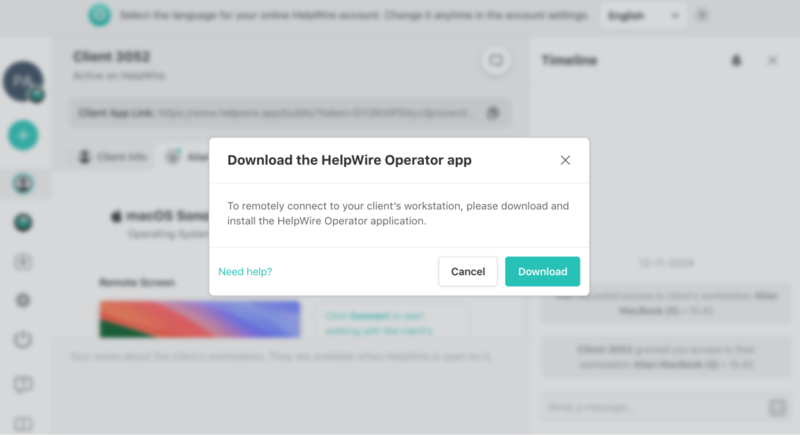
Uzak bir istemciye ilk kez bağlanıyorsanız, HelpWire Operator uygulamasını indirip yüklemeniz istenecektir.
Uzaktan destek için HelpWire'ı indirin
7. İçeridesiniz.

Neden rakip çözümler yerine HelpWire’ın uzak masaüstünü seçmelisiniz?

HelpWire ile nasıl karşılaştırıldıklarını görmek için bazı alternatif çevrimiçi uzak masaüstü çözümlerine göz atalım. Araçlar arasında kolay karşılaştırma yapabilmeniz için bu incelemelerin ardından bir tablo sunuyoruz.

TeamViewer

TeamViewer kullanıcılarına basit bir arayüz ve hızlı bağlantı hızı sunan popüler bir çevrimiçi uzak masaüstü aracıdır. Web tabanlı seçeneği, ekiplerin herhangi bir yazılım yüklemeden uzaktan erişim sağlamasına olanak tanır.
Artıları:
  • İhtiyaçlarınıza uygun birden fazla fiyatlandırma planı;
  • Uzaktan çalışan teknik ekipler için birçok kurumsal özellik.
Eksileri:
  • Ücretsiz sürüm ticari kullanım için işaretlenebilir ve bu durum oturum işlevselliğini etkileyebilir.

Chrome Uzaktan Masaüstü

Chrome Remote Desktop sadeliği ve Google hizmetleriyle entegrasyonu nedeniyle kullanıcılar arasında popülerdir. Bu web tabanlı uzak masaüstü çözümü genellikle kişisel kullanım için kullanılır ve profesyonel bir teknik destek ekibi için gerekli özellikleri sağlamaz.
Artıları:
  • Platformlar arası erişim;
  • Kullanımı ücretsiz;
  • Kolay kurulum.
Eksileri:
  • Oturumlar tek bir kullanıcıyla sınırlıdır;
  • Kullanmak için bir Google hesabı gerekir;
  • Sohbet veya kullanıcı yönetimi olmadan sınırlı özellikler.
Bu dezavantajlar, HelpWire'ı uzaktan masaüstü desteği için Chrome Remote Desktop'a daha iyi bir alternatif haline getirir.

ISL Online

ISL Online profesyonel destek ekiplerine çok yönlü bir çevrimiçi RDP çözümü sunar. Uzak erişim sağlamanın yanı sıra, ISL Online çoklu monitör desteği ve dosya aktarımı işlevselliği sunar. Ayrıca çok faktörlü kimlik doğrulama ve uçtan uca şifreleme ile mükemmel güvenlik sağlar.
Artıları:
  • Profesyonel bir görünüm için özelleştirilebilir markalama;
  • Birden fazla entegrasyon seçeneği;
  • Gelişmiş raporlama ve analiz yetenekleri.
Eksileri:
  • Gelişmiş özelliklerin kurulumu ve bunlara erişim ek zaman ve uzmanlık gerektirebilir;
  • Alternatif çevrimiçi uzaktan erişim çözümlerinden daha pahalı.
HelpWire'ın ISL Online'a alternatif olarak nasıl çalıştığı hakkında daha fazla bilgi edinin.

En iyi uzak masaüstü çözümlerini karşılaştırma

HelpWire'ın kişisel ve kurumsal kullanıcılar için en iyi çevrimiçi uzak masaüstü çözümlerinden birini sunduğuna inanıyoruz.
Özellik
HelpWire
TeamViewer
Chrome Remote Desktop
ISL Online
1
Ücretsiz sürüm kullanılabilirliği
İş ve kişisel kullanım için ücretsiz plan mevcut
Ücretsiz sürüm yalnızca kişisel kullanım içindir
Kişisel ve iş kullanımı için ücretsiz
Ücretsiz sürüm 15 gün ile sınırlıdır
2
Platformlar Arası Erişim
3
Ekip ve Müşteri Yönetimi
4
Güvenlik
TLS, AES-256 şifreleme, Auth0 kimlik doğrulaması, Digicert imzaları kullanımı, güvenli AWS barındırma ve istemci kontrollü uzak operatör erişimi.
İki faktörlü kimlik doğrulama, 256 bit AES şifreleme ve erişim kontrolleri.
Google hesabı kimlik doğrulaması, uçtan uca TLS şifreleme, PIN koruması.
256 bit AES şifreleme, oturum kaydı, iki faktörlü kimlik doğrulama ve self-hosting seçeneği.
5
Öğrenme Eğrisi
Bağlantı tabanlı oturum başlatma
Daha karmaşık kurulum ve kullanım
Erişilebilir kurulum ve kullanım
Daha karmaşık kurulum ve kullanım

Kullanıcılarımız ne diyor title icon

4.6 209 müşterinin deneyimine göre
version icon
Sürüm
2.2, 04/02/2026
compatibility icon
Uyumluluk
macOS, Windows, Linux
price icon
Fiyat
Ücretsiz
Burada HelpWire hakkında çeşitli kaynaklardan gelen bazı kamuya açık müşteri değerlendirmelerini bulabilirsiniz. Tüm değerlendirmeler orijinal dillerinde gösterilmektedir.
Thea M.
Office admin
Thea M.
I got a gatvol of teamviewer and its issues and moved over to HelpWire and I'm blown away. Fast, effective and doesn't drain my computer's resources. It works really well props to the devs.
Molly
Production worker
Molly
My experience with HelpWire has been fantastic! The remote control process is incredibly smooth.
Daniel Domingues
Founder, Lusha
Daniel Domingues
I appreciate HelpWire for its ease of use and comprehensive remote support tools all in one place.
Rabeea Sarfraz
Associate Software Engineer, Coeus Solutions GmbH
Rabeea Sarfraz
HelpWire streamlines the remote support, allowing me to manage multiple clients efficiently, which improved overall service quality and client satisfaction.
Mark V.
Remote Technical Support
Mark V.
The fact that I can easily segregate my clients and have a full history of my connection to them is amazing. I like the fact that I can send a link to them and then talk them through what to do when they receive it (many are elderly and techo-illiterate). The emails and link are professional and give them reassurance. I like unattended access for those clients that need that extra layer of help. Love this app.
Kyle Paterson
CEO, Enspire
Kyle Paterson
The swift setup process and zero- configuration requirement for starting remote support sessions are what I appreciate most about HelpWire. It's remarkable how quickly I can connect with clients and start troubleshooting without any hassle.
Yaroslav H.
Owner
Yaroslav H.
Very good and free alternative to TV. Easy to use and nice concept. No annoying disconnections and forcing to buy premiumbussiness subscription or smth like that.
Muhammad Ammar Z.
Senior Lecturer at Shifa College of Pharmaceutical Sciences
Muhammad Ammar Z.
As a long-time TeamViewer user for personal projects and helping family, I grew increasingly frustrated with its frequent disconnections and persistent "commercial use" warnings. I decided to search for an alternative and found Helpwire. I am incredibly impressed. Helpwire provides a stable, reliable connection without any of the interruptions I faced before. The setup is simple, and it just works.
Jonathan B.
IT Director
Jonathan B.
Its a great tool for remote support. It doesn't have the bells and whistles of its commercial rivals, but ask yourself how often do you need that stuff ? If you want to help someone out on a PC issue, or connect to a server for some admin this is perfect.
Nilay N.
Senior Education Management, Self-employed
Nilay N.
HelpWire software has been an invaluable asset for streamlining our customer support processes.
Darko V.
SEO specialist
Darko V.
Probably the best free remote access app. I like seamless remote desktop experience and copy/paste functionality, reliability, and the fact it is free to use.
Samit B.
Senior Communication Executive, Dairy
Samit B.
The experience is fantastic with a very smooth remote session experience. The optimised performance and smart connectivity feature ensures a seamless remote session with zero-lag.
Ben T
Admin Assistant
Ben T
It was handy for the odd occasion that someone needs a hand with their computer while I am not nearby. It was very reliable and able to see the other's screen to provide directions.
Jean K.
Engineer
Jean K.
Absolutely Brilliant. Having worked on a whole bunch of other remote support software, from solarwinds dameware to anydesk and teamviewer, vnc viewer and the like, I have never had the joy I am having with Helpwire.
Govind P.
Content Writer, Marketing and Advertising
Govind P.
I've never been more satisfied with the service quality of a remote desktop application in my entire freelancing career. Considering the fact that it's a free remote desktop support solution, HelpWire is really worth a shot!
The interface is straightforward, so I can quickly connect to clients' devices and start troubleshooting without jumping through hoops. Plus, the performance is rock solid-no lag or sudden disconnections, which is crucial when I'm in the middle of solving a client's issue.
Adyrosan B.
Business Leader or Manager
Adyrosan B.
I appreciate Helpwire for its user-friendly interface and efficient problem-solving capabilities. It's designed to streamline the troubleshooting process, making it easier for people to find solutions to their technical issues quickly.
Anna K.
Sales Marketing
Anna K.
HelpWire really stands out for me because it's free and works seamlessly on both Mac and PC. I love how easy it is to get started. Basically, I can send a dedicated link to my colleague or client to initiate a remote session right away. The software is super fast and easy to use.
EJ S.
Business Leader or Manager
EJ S.
The Operator Dashboard is easy to use and you can start up a support session in seconds. The fact that it keeps the chat with the customer as well as logs of connections is a nice touch.
For nearly ten years I relied on another tool that recently became unusable, and HelpWire has stepped in as the perfect replacement.
How could I not like HelpWire! It ticks all the boxes for a great remote desktop/support service, and best of all, it's free. Real good, and worth more than a try.
Martin Lentz
Email İnceleme
Martin Lentz
Your software worked just as well as Teamviewer. One thing works better and that is on the client side where they simply just have to grant me access. They don't have to provide me a one use password in order for me to connect.
Luca Albanese
Email İnceleme
Luca Albanese
Simplicity of use, in particular on the client side that simply require to click on a link and give the required permissions. But the best feature, IMHO, is the ability to share the clients with other team members... and all of this for free! THANK YOU for this amazing app!!
Wilkin Miguel Julio Mercado
Email İnceleme
Wilkin Miguel Julio Mercado
It's easy to use and I didn't expect there to be a software as good as this one.
Michael Guggenbichler
Email İnceleme
Michael Guggenbichler
Absolutely Amazing Product for attended Access for individual operators or small teams! And you do not even have to pay!! There are so much remote access solutions, you have to pay tons of money and don't even provide the bare minimum. HelpWire Team, you're doing great! Looking forward to what you will bring in the future.
Sıkça sorulan sorular