Electronic Team, web sitemizdeki deneyiminizi iyileştirmek için çerezler kullanır. Bu web sitesini kullanmaya devam ederek Çerez Politikamızı kabul etmiş olursunuz. Daha fazla bilgi burada.

Sistem Yöneticileri için Uzak Masaüstü: Kullanım Senaryosu

HelpWire, sistem yöneticilerine masaüstlerine uzaktan erişme, güncellemeleri uygulama, yazılım yükleme, sorun giderme ve çeşitli yönetim görevlerini yürütme olanağı sağlar.
İsteğe bağlı Uzaktan Destek

İsteğe bağlı uzak bağlantı

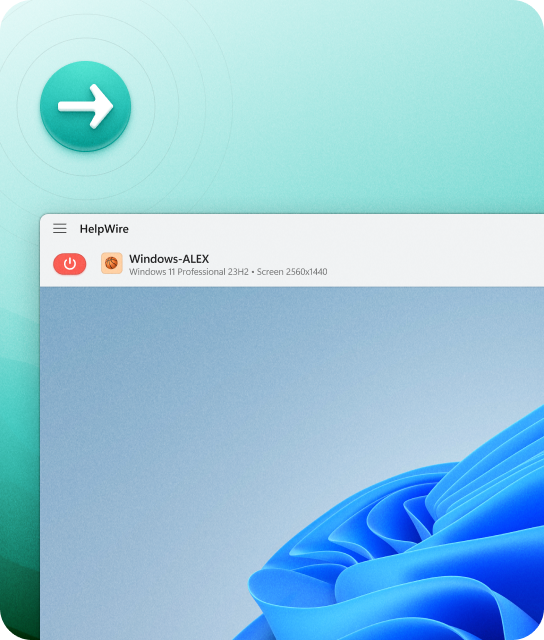
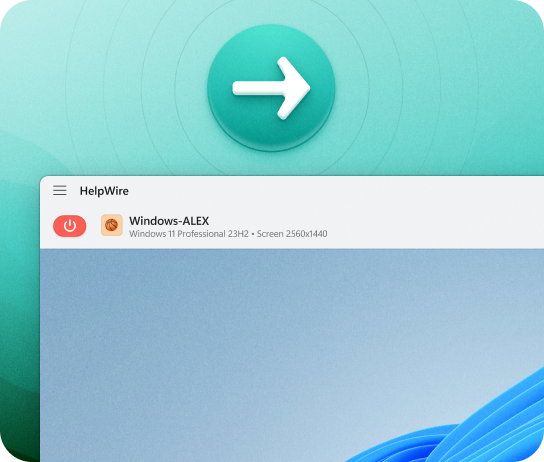
Uzak kullanıcılar yardıma ihtiyaç duyduklarında onlarla anında bağlantı kurun. Sorunları hızla çözün ve talep üzerine destek sağlayın.
Gözetimsiz Uzaktan Erişim

Gözetimsiz uzaktan erişim

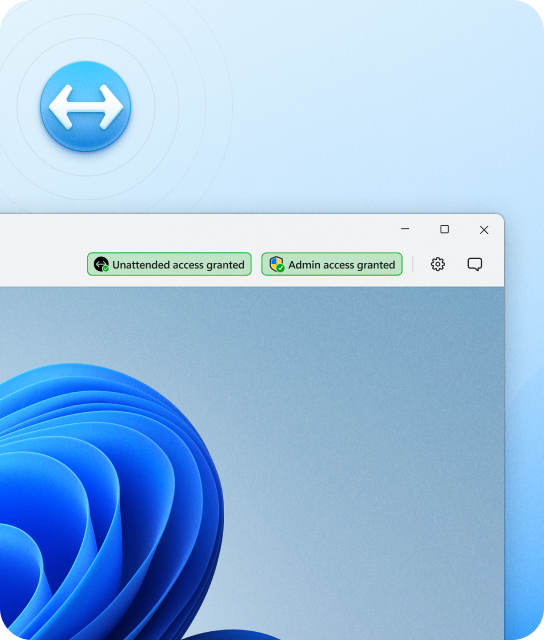
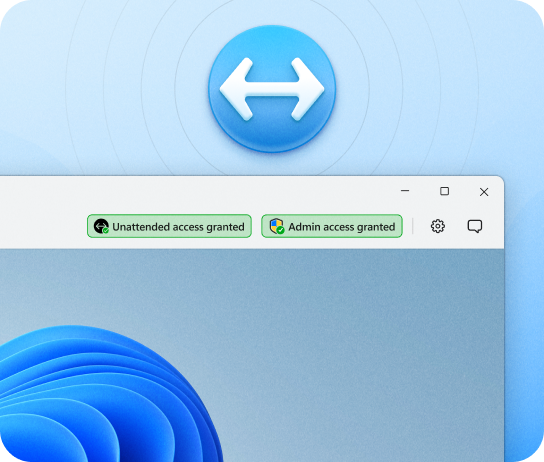
Güncellemeleri gerçekleştirmek, dosyalara erişmek ve teknik sorunları istediğiniz zaman gidermek için bir Windows iş istasyonuna uzaktan bağlantı kurun.

HelpWire’ın Öne Çıkan Özellikleri

HelpWire, sistem yöneticilerine güvenli, verimli ve tutarlı uzaktan sistem yönetimi için pratik bir özellikler seti sunar.
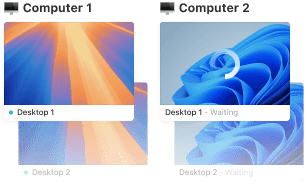
Sistem yöneticilerinin desteğini geliştirmek için birden fazla iş istasyonunu kontrol edin

Çoklu İş İstasyonu Kontrolü

Tek bir istemcinin birden fazla iş istasyonuna aynı anda uzaktan bağlantılar kurun ve daha yüksek verimlilik için aralarında zahmetsizce geçiş yapın.
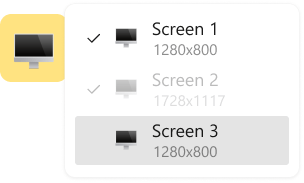
Çoklu monitör desteğine sahip uzak masaüstü aracı

Çoklu Monitör Desteği

İki uzak ekranın yan yana görüntülenmesini kolaylaştırın veya kapsamlı bir uzak oturum için birden fazla uzak monitör ekranı arasında geçiş yapın.

Uzaktan destek için kolay istemci yönetimi

İstemci Yönetimi

HelpWire, istemci yönetimini ve takibini kolaylaştırır; sorunları doğrudan tarayıcı içinde notlandırmanıza olanak tanır.

Uzak destek oturumu başlat

Basit Oturum Başlatma

HelpWire, her uzak oturum için benzersiz şekilde oluşturulmuş istemci uygulamaları kullanır ve oturum kimlikleri ile parolalar arasında gidip gelme ihtiyacını ortadan kaldırır.
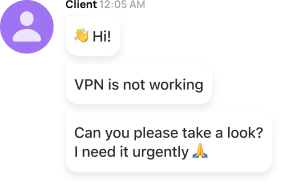
Uzaktan destek için yerleşik sohbet

Anlık Mesajlaşma

HelpWire'ın yerleşik destek sohbeti özelliği, sistem yöneticileri ile müşteriler arasında hızlı ve doğrudan iletişimi kolaylaştırır; uzun e-postalara veya sık telefon görüşmelerine olan ihtiyacı ortadan kaldırır.
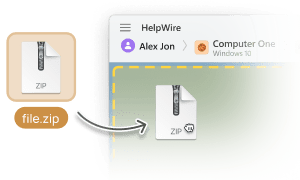
Uzaktan desteği güçlendirmek için dosya aktarımı

Dosya Aktarımı

HelpWire, yöneticilerin dosyaları doğrudan uzak masaüstü penceresine zahmetsizce kopyalayıp yapıştırmasını sağlayarak teknik yardımı kolaylaştırır.

Gözetimsiz Uzaktan Erişim Gelişmiş Özellikleri

Platformlar Arası Çözüm

Platformlar Arası Çözüm

Windows, Linux ve macOS üzerinden HelpWire ile bağlanın ve uzak istemcilerinizi tercih ettikleri platformdaki yerel uygulamaları kullanarak destekleyin.
Yönetici Hakları

Yönetici Hakları

İstemcinin onayı üzerine, uzak iş istasyonlarında uygulamaları yönetici ayrıcalıklarıyla çalıştırın (yalnızca Windows bilgisayarlar için kullanılabilir).
Kullanıcı Hesaplarını Değiştir

Kullanıcı Hesaplarını Değiştir

Uzak iş istasyonunda birden fazla kullanıcı hesabı oluşturun ve aralarında saniyeler içinde sorunsuzca geçiş yapın.
Uzak İş İstasyonunu Yeniden Başlat

Uzak İş İstasyonunu Yeniden Başlat

Başka bir kullanıcı hesabına yeniden giriş yapmak için uzak Windows kullanıcı hesabından çıkış yaptıktan sonra veya yazılım güncellemelerini gerçekleştirmek için uzak iş istasyonunu yeniden başlattıktan sonra uzak masaüstü oturumuna kesintisiz şekilde yeniden bağlanın.
Ekip İşbirliği

Ekip İş Birliği

Aynı uzak iş istasyonunda meslektaşlarınızla birlikte çalışın; birkaç ekip üyesi için eşzamanlı gözetimsiz uzaktan erişim sağlayın.
İş İstasyonu Ayrıntıları

İş İstasyonu Ayrıntıları

HelpWire, uzak istemcinizin kullandığı işletim sisteminin adını, türünü ve sürümünü otomatik olarak tanır ve görüntüler.

Güçlü Güvenlik

HelpWire güvenliği güvenilir kimlik doğrulama, AWS tabanlı altyapı ve üst düzey şifreleme protokolleri aracılığıyla uzak masaüstü ortamını korumaya öncelik verir

HelpWire, Auth0 kimlik doğrulama hizmetini uygular

Güvenli Kimlik Doğrulama

HelpWire, verilerinizi Microsoft, AWS ve daha birçok devin güvendiği bir platform olan Auth0 entegre kimlik doğrulama sistemiyle korur.

Uçtan uca güçlü şifreleme

Uçtan Uca Şifreleme

Uzak masaüstlerine HTTPS ve WSS gibi bağlantı protokollerini kullanarak, TLS/SSL ve gelişmiş AES-256 şifreleme metodolojisiyle güçlendirilmiş şekilde güvenli erişin.


Güvenli bulut altyapısı

Güvenilir Veri Barındırma

İçiniz rahat olsun, verileriniz ve müşteri bilgileriniz, Samsung, Philips, Disney, Netflix ve NASA gibi sektör liderlerinin de tercih ettiği bir platform olan HelpWire’ın AWS bulut altyapısında güvenle barındırılır.

İstemcinin izni gerekli başlık

Rızaya Dayalı Erişim

HelpWire, bir müşterinin uzak iş istasyonuna yalnızca açık rızasıyla erişebilmenizi sağlar.

Kullanıcılar HelpWire Deneyimini Anlatıyor title icon

5.0 209 müşterinin deneyimine göre
version icon
Sürüm
2.2, 04/02/2026
compatibility icon
Uyumluluk
macOS, Windows, Linux
price icon
Fiyat
Ücretsiz
İşte müşterilerimizin farklı kaynaklardan paylaştığı bazı halka açık HelpWire yorumları:
Thea M.
Office admin
Thea M.
I got a gatvol of teamviewer and its issues and moved over to HelpWire and I'm blown away. Fast, effective and doesn't drain my computer's resources. It works really well props to the devs.
Molly
Production worker
Molly
My experience with HelpWire has been fantastic! The remote control process is incredibly smooth.
Daniel Domingues
Founder, Lusha
Daniel Domingues
I appreciate HelpWire for its ease of use and comprehensive remote support tools all in one place.
Rabeea Sarfraz
Associate Software Engineer, Coeus Solutions GmbH
Rabeea Sarfraz
HelpWire streamlines the remote support, allowing me to manage multiple clients efficiently, which improved overall service quality and client satisfaction.
Mark V.
Remote Technical Support
Mark V.
The fact that I can easily segregate my clients and have a full history of my connection to them is amazing. I like the fact that I can send a link to them and then talk them through what to do when they receive it (many are elderly and techo-illiterate). The emails and link are professional and give them reassurance. I like unattended access for those clients that need that extra layer of help. Love this app.
Kyle Paterson
CEO, Enspire
Kyle Paterson
The swift setup process and zero- configuration requirement for starting remote support sessions are what I appreciate most about HelpWire. It's remarkable how quickly I can connect with clients and start troubleshooting without any hassle.
Yaroslav H.
Owner
Yaroslav H.
Very good and free alternative to TV. Easy to use and nice concept. No annoying disconnections and forcing to buy premiumbussiness subscription or smth like that.
Muhammad Ammar Z.
Senior Lecturer at Shifa College of Pharmaceutical Sciences
Muhammad Ammar Z.
As a long-time TeamViewer user for personal projects and helping family, I grew increasingly frustrated with its frequent disconnections and persistent "commercial use" warnings. I decided to search for an alternative and found Helpwire. I am incredibly impressed. Helpwire provides a stable, reliable connection without any of the interruptions I faced before. The setup is simple, and it just works.
Jonathan B.
IT Director
Jonathan B.
Its a great tool for remote support. It doesn't have the bells and whistles of its commercial rivals, but ask yourself how often do you need that stuff ? If you want to help someone out on a PC issue, or connect to a server for some admin this is perfect.
Nilay N.
Senior Education Management, Self-employed
Nilay N.
HelpWire software has been an invaluable asset for streamlining our customer support processes.
Darko V.
SEO specialist
Darko V.
Probably the best free remote access app. I like seamless remote desktop experience and copy/paste functionality, reliability, and the fact it is free to use.
Samit B.
Senior Communication Executive, Dairy
Samit B.
The experience is fantastic with a very smooth remote session experience. The optimised performance and smart connectivity feature ensures a seamless remote session with zero-lag.
Ben T
Admin Assistant
Ben T
It was handy for the odd occasion that someone needs a hand with their computer while I am not nearby. It was very reliable and able to see the other's screen to provide directions.
Jean K.
Engineer
Jean K.
Absolutely Brilliant. Having worked on a whole bunch of other remote support software, from solarwinds dameware to anydesk and teamviewer, vnc viewer and the like, I have never had the joy I am having with Helpwire.
Govind P.
Content Writer, Marketing and Advertising
Govind P.
I've never been more satisfied with the service quality of a remote desktop application in my entire freelancing career. Considering the fact that it's a free remote desktop support solution, HelpWire is really worth a shot!
The interface is straightforward, so I can quickly connect to clients' devices and start troubleshooting without jumping through hoops. Plus, the performance is rock solid-no lag or sudden disconnections, which is crucial when I'm in the middle of solving a client's issue.
Adyrosan B.
Business Leader or Manager
Adyrosan B.
I appreciate Helpwire for its user-friendly interface and efficient problem-solving capabilities. It's designed to streamline the troubleshooting process, making it easier for people to find solutions to their technical issues quickly.
Anna K.
Sales Marketing
Anna K.
HelpWire really stands out for me because it's free and works seamlessly on both Mac and PC. I love how easy it is to get started. Basically, I can send a dedicated link to my colleague or client to initiate a remote session right away. The software is super fast and easy to use.
EJ S.
Business Leader or Manager
EJ S.
The Operator Dashboard is easy to use and you can start up a support session in seconds. The fact that it keeps the chat with the customer as well as logs of connections is a nice touch.
For nearly ten years I relied on another tool that recently became unusable, and HelpWire has stepped in as the perfect replacement.
How could I not like HelpWire! It ticks all the boxes for a great remote desktop/support service, and best of all, it's free. Real good, and worth more than a try.
Martin Lentz
Email İnceleme
Martin Lentz
Your software worked just as well as Teamviewer. One thing works better and that is on the client side where they simply just have to grant me access. They don't have to provide me a one use password in order for me to connect.
Luca Albanese
Email İnceleme
Luca Albanese
Simplicity of use, in particular on the client side that simply require to click on a link and give the required permissions. But the best feature, IMHO, is the ability to share the clients with other team members... and all of this for free! THANK YOU for this amazing app!!
Wilkin Miguel Julio Mercado
Email İnceleme
Wilkin Miguel Julio Mercado
It's easy to use and I didn't expect there to be a software as good as this one.
Michael Guggenbichler
Email İnceleme
Michael Guggenbichler
Absolutely Amazing Product for attended Access for individual operators or small teams! And you do not even have to pay!! There are so much remote access solutions, you have to pay tons of money and don't even provide the bare minimum. HelpWire Team, you're doing great! Looking forward to what you will bring in the future.