Electronic Team, web sitemizdeki deneyiminizi iyileştirmek için çerezler kullanır. Bu web sitesini kullanmaya devam ederek Çerez Politikamızı kabul etmiş olursunuz. Daha fazla bilgi burada.
Ücretsiz uzak masaüstü yazılımı
Windows için
Saniyeler içinde herhangi bir Windows, Mac veya Linux makinesine bağlanın: VPN yok, ağ yapılandırması yok, istemci tarafında hesap kaydı yok.
HelpWire’ın Windows’taki yerleşik uzak masaüstüne göre artılarını ve eksilerini öğrenin.
Artıları:
HelpWire platformlar arasıdır. Windows, Linux ve macOS'u destekler.
Birden fazla operatör aynı istemciye bağlanabilir.
HelpWire bir destek sohbeti özelliği içerir.
Daha fazla erişilebilirlik için çok dilli destek sunar.
Daha fazla kolaylık için müşteri bilgilerini bir müşteri dizinine kaydetme seçeneği sunar.
Eksileri:
Yerel Windows RDP daha hızlı performans sunar.
HelpWire kullanarak Windows'ta uzak masaüstü bağlantısı nasıl kurulur
Windows'ta uzak masaüstü bağlantısı başlatmak için HelpWire'ı kullanma adım adım süreci şöyledir:
1. HelpWire hesabınıza kaydolun.
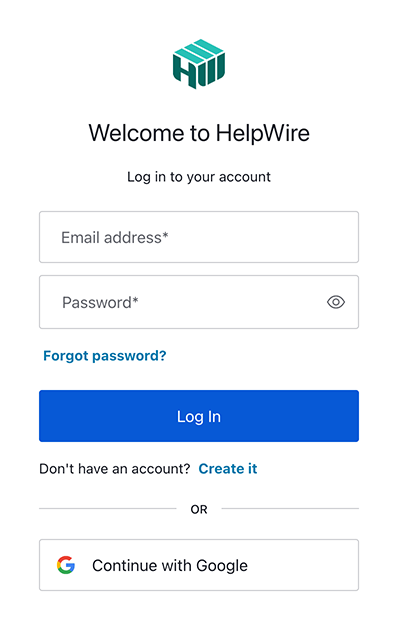
Bir HelpWire hesabınız yoksa, e-posta adresinizi girerek veya Google profilinizi kullanarak kaydolun ve yeni bir hesap oluşturun.
2. HelpWire’ın Operatör uygulamasını indirin.
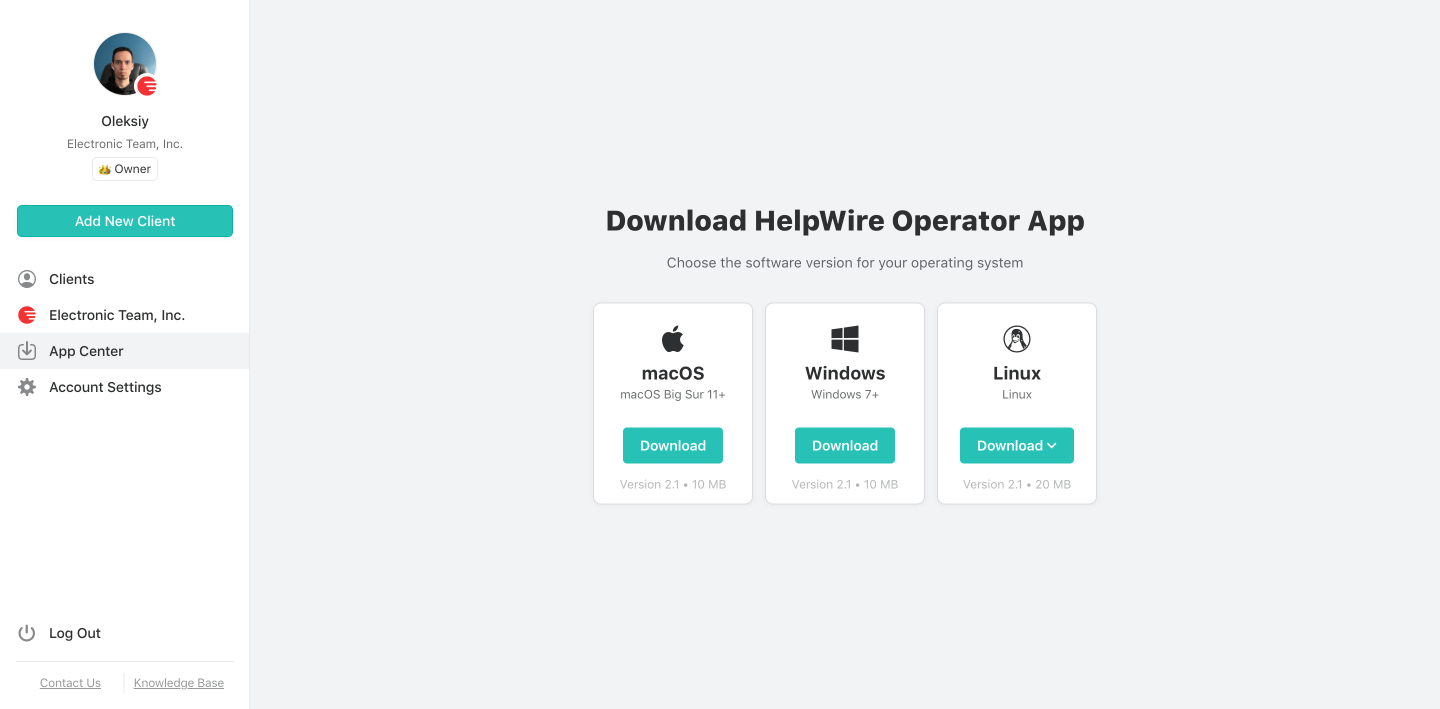
“Uygulama Merkezi”ne gidin ve HelpWire Operator uygulamasını bulun. Windows yükleyicisini sisteminize indirin.
3. Yeni bir tane oluşturun veya mevcut bir istemci seçin.
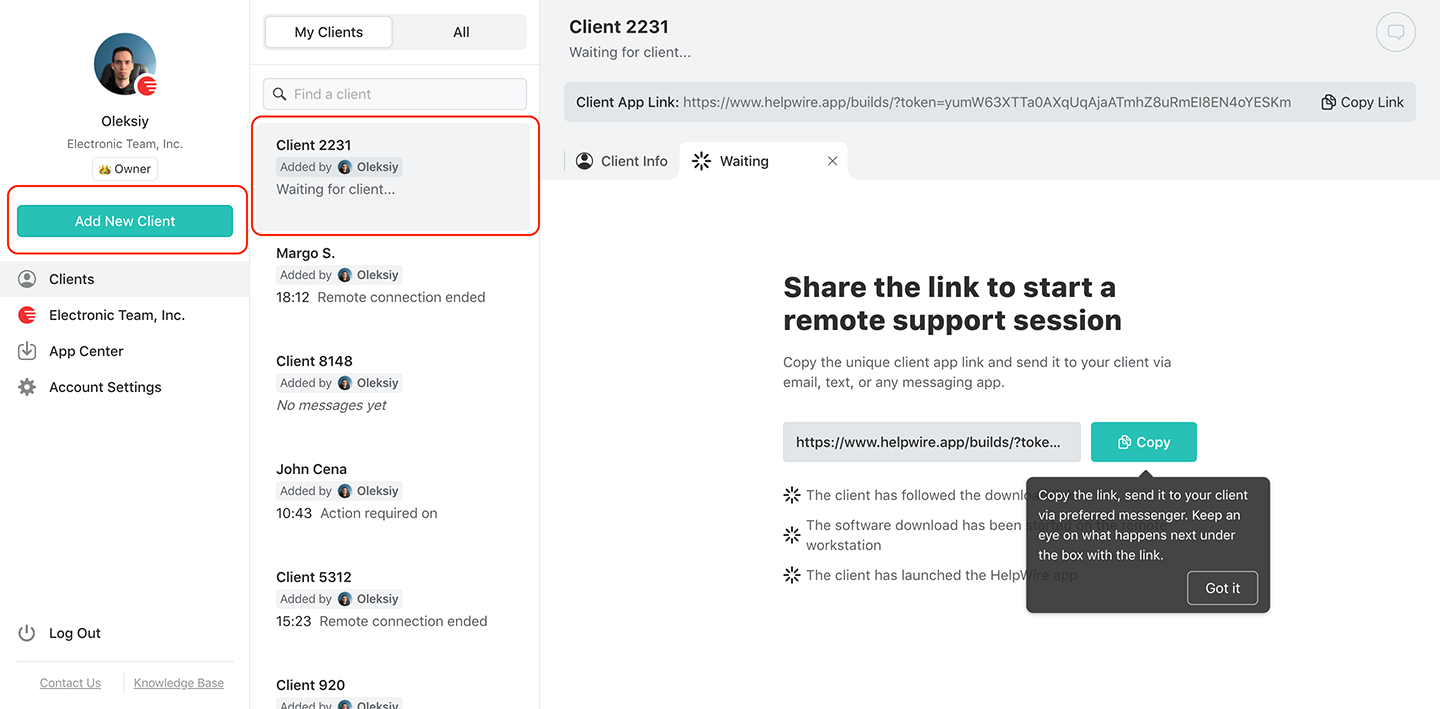
Daha önce hiç müşteri eklenmediyse, yeni bir müşteri oluşturun veya zaten bir tane oluşturduysanız, “Clients” listesinden seçin. Ana araç çubuğunda, her seçeneğin yanında bir düğme bulacaksınız.
4. Bağlantıyı müşterinizle paylaşın.
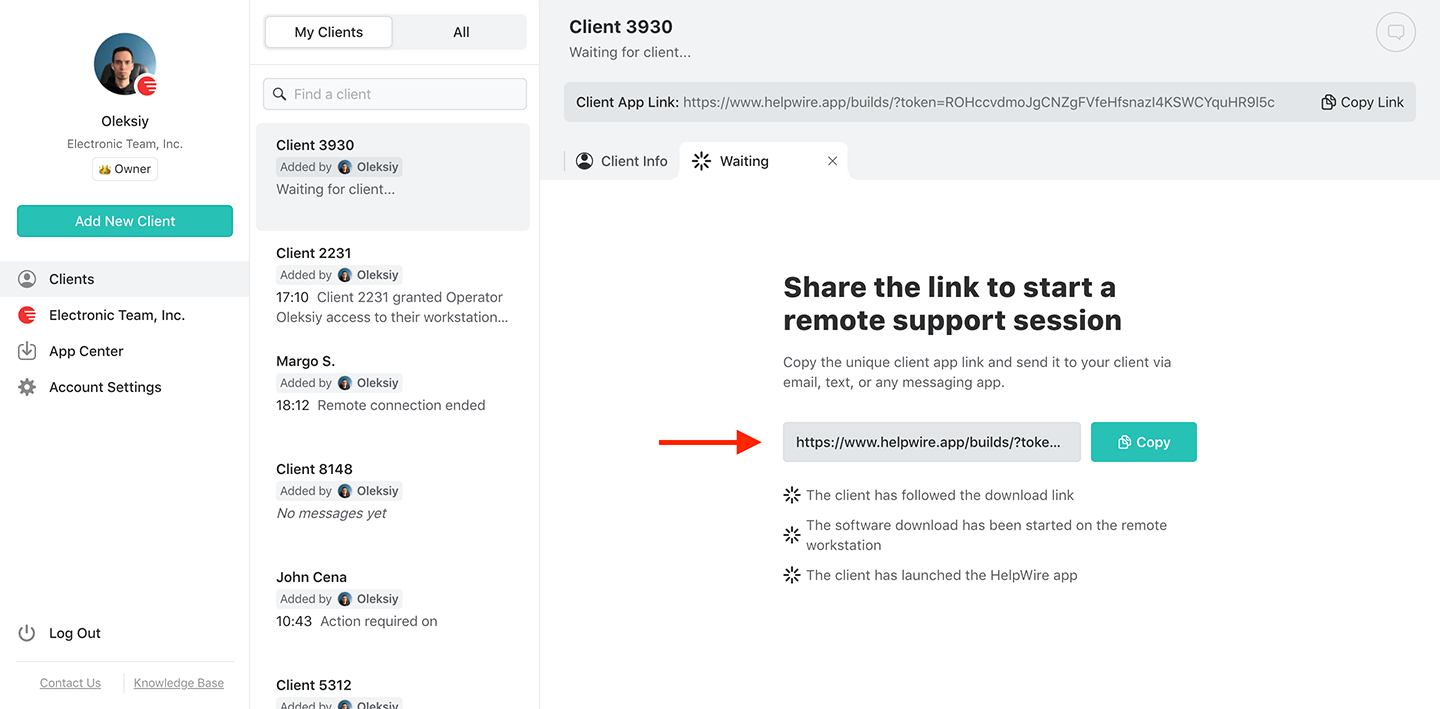
İstemci profilinden İstemci uygulaması bağlantısını bulun. Üst araç çubuğunda olmalıdır. Bu bağlantıyı müşterinizle e-posta, anlık mesajlaşma, SMS veya sizin ve müşterinin uygun bulduğu başka herhangi bir kanal aracılığıyla paylaşın.
5. Erişim izni alın.
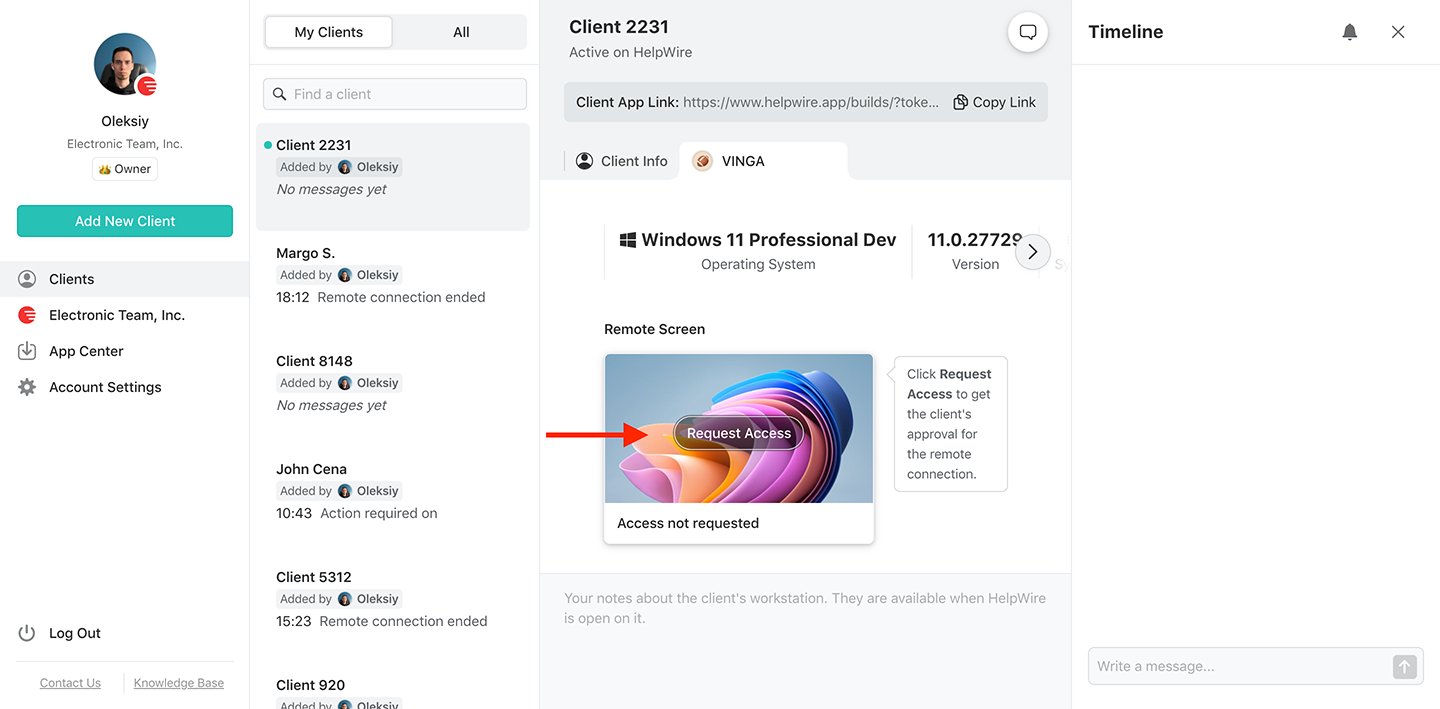
İstemci bağlantıyı aldıktan sonra, sistemlerine HelpWire Client uygulamasını yükleyip başlatmalarını bekleyin. Bu tamamlandığında, “Request Access” düğmesine tıklayın ve istemcinin isteğinizi onaylamasını bekleyin.
6. Uzak istemciye bağlanın.
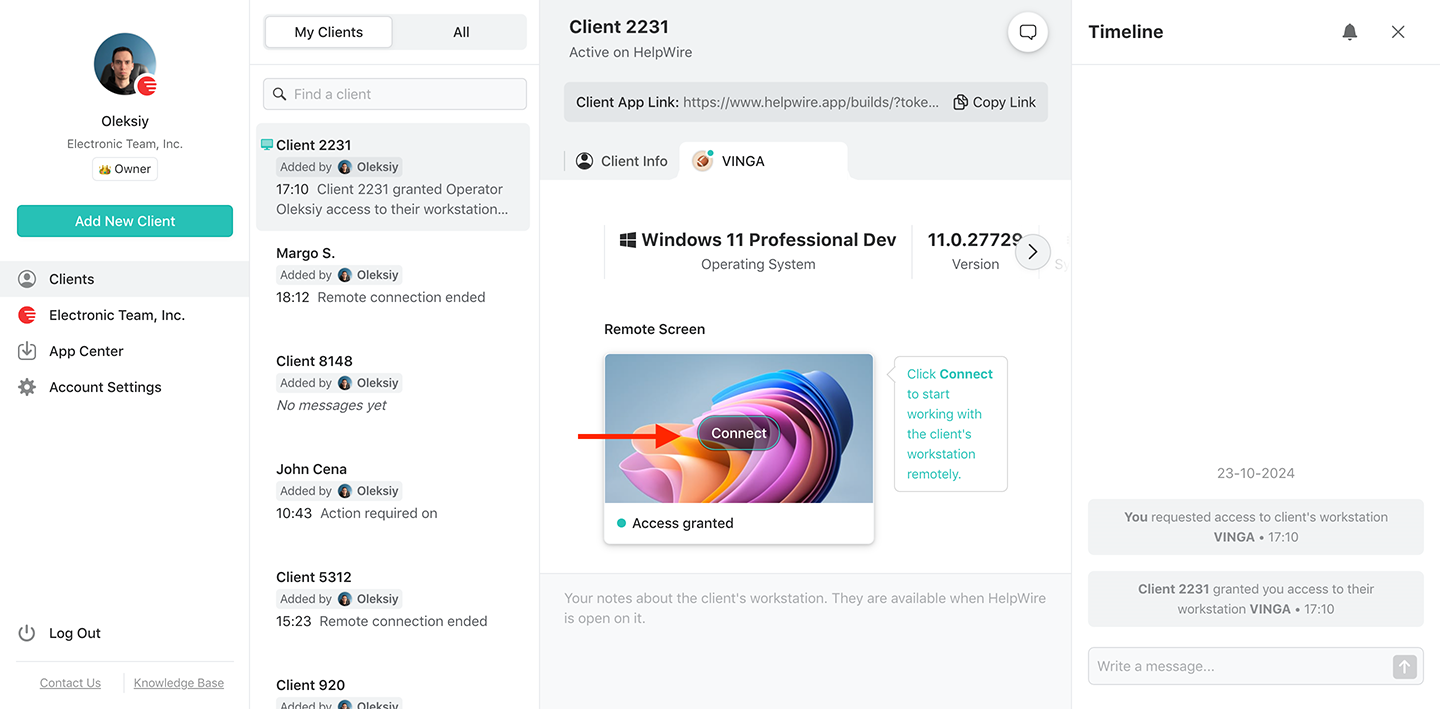
Windows iş istasyonunuzdan “Bağlan” düğmesine basarak uzak bir istemciye uzak masaüstü kontrol oturumu başlatın. Düğme, seçtiğiniz istemci profili sekmesinde olmalıdır.
7. Uzak oturumu sonlandırın.
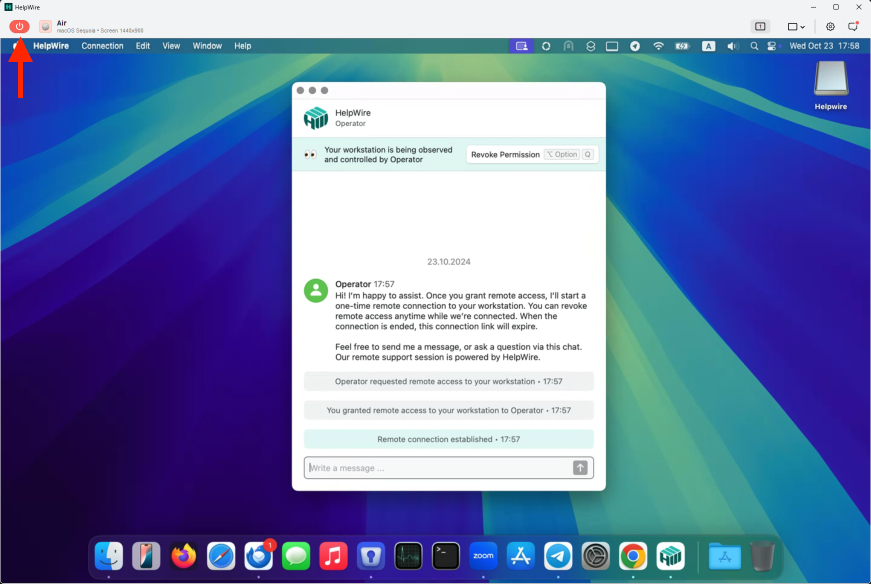
Uzaktan kontrol görevinizi tamamladığınızda, uzak oturumu sonlandırın. Bunu yapmanın üç yolu vardır:
Bilgisayarınızdaki Windows HelpWire Operator uygulamasını standart sistem penceresi kapatma yöntemiyle kapatın.
Operator araç çubuğunda kırmızı düğmeyi bulun ve ona basın.
Uzak bilgisayarda HelpWire Client uygulamasını kapatın.
Windows için uzak masaüstü yazılımımızın özellikleri
Platformlar arası destek
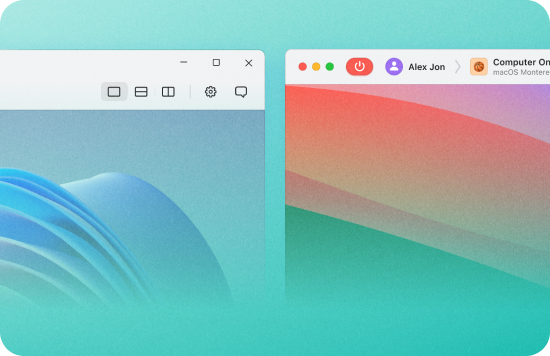
HelpWire, Windows, macOS ve Linux'u destekleyen platformlar arası bir çözümdür. Böylece Windows bilgisayarınızdan herhangi bir Windows 7+, Linux veya macOS sistemine bağlanabilirsiniz ve bunun tersi de geçerlidir.
Bağlantı tabanlı oturum başlatma
Bilgisayarınızı HelpWire'ın yardımıyla benzersiz şekilde oluşturulan bağlantılar aracılığıyla istemci iş istasyonlarına ve bilgisayarlara gerçek zamanlı olarak zahmetsizce bağlayın.
Birden fazla iş istasyonunu kontrol edin
İşletim sistemlerinden bağımsız olarak, müşterinizin çeşitli uzak masaüstlerine, iş istasyonlarına ve cihazlarına eşzamanlı uzaktan destek sağlayın.
Dosya aktarımı
Dosyaları güvenli bir şekilde müşterilerinize göndermek için HelpWire’ın uzaktan kontrol penceresine kopyalayıp yapıştırın veya sürükleyip bırakın. İçiniz rahat olsun, HelpWire uzaktan bağlantılarınızı gelişmiş teknolojilerle güvence altına aldığı için hiç kimse dosyalarınızı ele geçiremez.
Çoklu monitör görünümü
Birden fazla uzak ekranı aynı anda görüntüleyin ve yönetin veya bir oturum sırasında aralarında geçiş yapın. Bu, farklı bilgisayarlardaki ayrı ekranları yönetmek için harcadığınız zamandan tasarruf etmenizi sağlar.
Oturum içi sohbet
Yerleşik sohbet, operatörlerin ayrı bir araca geçmeden bir oturum sırasında müşterilerle iletişim kurmasını sağlar.
Müşteri yönetimi
HelpWire, ayrıntılı istemci listeleri ve destek oturumu geçmişi gibi temel araçlar sağlar. Ayrıca müşterinizin cihazları ve iş istasyonlarıyla ilgili ayrıntıları toplayabilir ve bunları tek bir müşteri profili altında birleştirebilir.
Takım yönetimi
İstediğiniz zaman ekip üyeleri ekleyin veya kaldırın ve destek ekibinizi mevcut ihtiyaçlara göre yönetin.
Sistem yöneticileri, yardım masaları ve serbest çalışanlar için Windows uzak masaüstü
Sistem yöneticileri
Dağıtılmış bir ofiste Windows makinelerini yönetmek, ya VPN ek yükü ya da cihaz başına RDP yapılandırması anlamına gelir. HelpWire, sistem yöneticilerine tek bir operatör uygulamasından platformlar arası erişim sağlar. İstemcinizin ağ ayarlarını değiştirmeden Windows, Mac veya Linux makinelerine bağlanın. Daha fazla bilgi
Yardım ve hizmet masaları
Windows, çoğu kurumsal ortamda baskın platformdur, ancak her destek çağrısı için RDP kurmak VPN erişimi ve ağ yöneticisi hakları gerektirir. HelpWire bu yükü ortadan kaldırır – bir bağlantı paylaşın, erişim sağlayın, sorunu çözün; üstelik bunların hiçbiri için iki tarafta da ağ ayarlarını yapılandırmanız gerekmez.
Çoğu serbest çalışan BT müşterisi Windows kullanıyor. HelpWire, paylaşılabilir bir bağlantıyla herhangi bir Windows 7+ makineye bağlanmanızı sağlar – uzaktan yönetici kimlik bilgileri gerekmez, istemci tarafında önceden yüklenmiş yazılım gerekmez. Tüm müşterilerinizi tek bir hesaptan yönetin.
Kullanıcılarımız ne diyor
4.6209 müşterinin deneyimine göre
Sürüm
2.2, 04/02/2026
Uyumluluk
macOS, Windows, Linux
Fiyat
Ücretsiz
Burada HelpWire hakkında çeşitli kaynaklardan gelen bazı kamuya açık müşteri değerlendirmelerini bulabilirsiniz. Tüm değerlendirmeler orijinal dillerinde gösterilmektedir.
I got a gatvol of teamviewer and its issues and moved over to HelpWire and I'm blown away.
Fast, effective and doesn't drain my computer's resources.
It works really well props to the devs.
HelpWire streamlines the remote support, allowing me to manage multiple clients efficiently, which improved overall service quality and client satisfaction.
The fact that I can easily segregate my clients and have a full history of my connection to them is amazing. I like the fact that I can send a link to them and then talk them through what to do when they receive it (many are elderly and techo-illiterate). The emails and link are professional and give them reassurance. I like unattended access for those clients that need that extra layer of help. Love this app.
The swift setup process and zero- configuration requirement for starting remote support sessions are what I appreciate most about HelpWire. It's remarkable how quickly I can connect with clients and start troubleshooting without any hassle.
Very good and free alternative to TV. Easy to use and nice concept. No annoying disconnections and forcing to buy premiumbussiness subscription or smth like that.
Muhammad Ammar Z.
Senior Lecturer at Shifa College of Pharmaceutical Sciences
As a long-time TeamViewer user for personal projects and helping family, I grew increasingly frustrated with its frequent disconnections and persistent "commercial use" warnings. I decided to search for an alternative and found Helpwire. I am incredibly impressed. Helpwire provides a stable, reliable connection without any of the interruptions I faced before. The setup is simple, and it just works.
Its a great tool for remote support. It doesn't have the bells and whistles of its commercial rivals, but ask yourself how often do you need that stuff ? If you want to help someone out on a PC issue, or connect to a server for some admin this is perfect.
Probably the best free remote access app. I like seamless remote desktop experience and copy/paste functionality, reliability, and the fact it is free to use.
The experience is fantastic with a very smooth remote session experience. The optimised performance and smart connectivity feature ensures a seamless remote session with zero-lag.
It was handy for the odd occasion that someone needs a hand with their computer while I am not nearby. It was very reliable and able to see the other's screen to provide directions.
Absolutely Brilliant. Having worked on a whole bunch of other remote support software, from solarwinds dameware to anydesk and teamviewer, vnc viewer and the like, I have never had the joy I am having with Helpwire.
I've never been more satisfied with the service quality of a remote desktop application in my entire freelancing career. Considering the fact that it's a free remote desktop support solution, HelpWire is really worth a shot!
The interface is straightforward, so I can quickly connect to clients' devices and start troubleshooting without jumping through hoops. Plus, the performance is rock solid-no lag or sudden disconnections, which is crucial when I'm in the middle of solving a client's issue.
I appreciate Helpwire for its user-friendly interface and efficient problem-solving capabilities. It's designed to streamline the troubleshooting process, making it easier for people to find solutions to their technical issues quickly.
HelpWire really stands out for me because it's free and works seamlessly on both Mac and PC. I love how easy it is to get started. Basically, I can send a dedicated link to my colleague or client to initiate a remote session right away. The software is super fast and easy to use.
The Operator Dashboard is easy to use and you can start up a support session in seconds. The fact that it keeps the chat with the customer as well as logs of connections is a nice touch.
How could I not like HelpWire! It ticks all the boxes for a great remote desktop/support service, and best of all, it's free. Real good, and worth more than a try.
Martin Lentz
Email İnceleme
Your software worked just as well as Teamviewer. One thing works better and that is on the client side where they simply just have to grant me access. They don't have to provide me a one use password in order for me to connect.
Luca Albanese
Email İnceleme
Simplicity of use, in particular on the client side that simply require to click on a link and give the required permissions. But the best feature, IMHO, is the ability to share the clients with other team members... and all of this for free! THANK YOU for this amazing app!!
Wilkin Miguel Julio Mercado
Email İnceleme
It's easy to use and I didn't expect there to be a software as good as this one.
Michael Guggenbichler
Email İnceleme
Absolutely Amazing Product for attended Access for individual operators or small teams! And you do not even have to pay!! There are so much remote access solutions, you have to pay tons of money and don't even provide the bare minimum. HelpWire Team, you're doing great! Looking forward to what you will bring in the future.