Trying to decide whether LogMeIn Resolve or TeamViewer is a better fit for your daily remote work or IT support tasks?
In this comparison, we look at LogMeIn Resolve (Starter and Growth plans) alongside TeamViewer Business and Premium to help you understand how these platforms differ in real-world use.
• Identify the key differences between LogMeIn Resolve and TeamViewer for individual technicians and teams
• Understand how each platform approaches remote access, device management, and collaboration
• Compare pricing logic and plan limitations
• Choose the remote access solution that best matches your workflow
Overview
Before diving into feature-by-feature comparisons, let’s look at what each platform is designed to do.
Both LogMeIn Resolve and TeamViewer enable secure remote connections to devices from anywhere. They support file transfers, remote troubleshooting, and unattended access, making them suitable for IT professionals, support technicians, and distributed teams.
LogMeIn Resolve
Ideal for: IT teams, MSPs, and organizations that need remote access combined with endpoint management in a single platform.
LogMeIn Resolve provides remote desktop access and IT management tools for support teams and businesses.
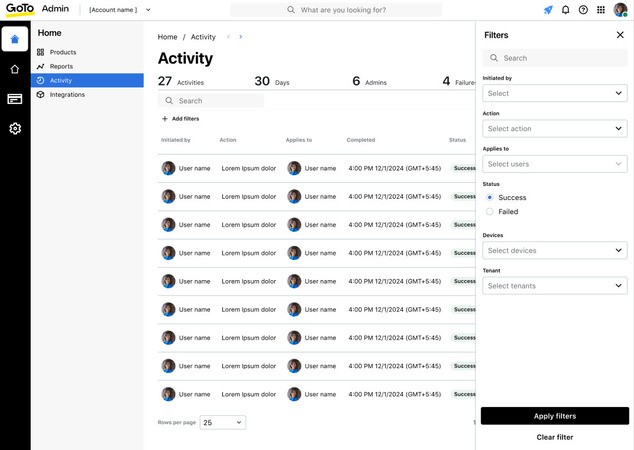
LogMeIn Resolve is an all-in-one IT management solution that brings together remote access, remote support, monitoring, and device management. Unlike traditional remote desktop tools, Resolve is designed as a unified platform for managing multiple endpoints rather than just connecting to individual machines.
Resolve emphasizes centralized management, allowing IT teams to oversee endpoints, manage access policies, and handle support tasks from a single console.
TeamViewer
Ideal for: Companies and IT professionals who need a feature-rich remote access platform with strong collaboration and cross-platform support.

TeamViewer enables fast, secure remote access for support, meetings, and collaboration.
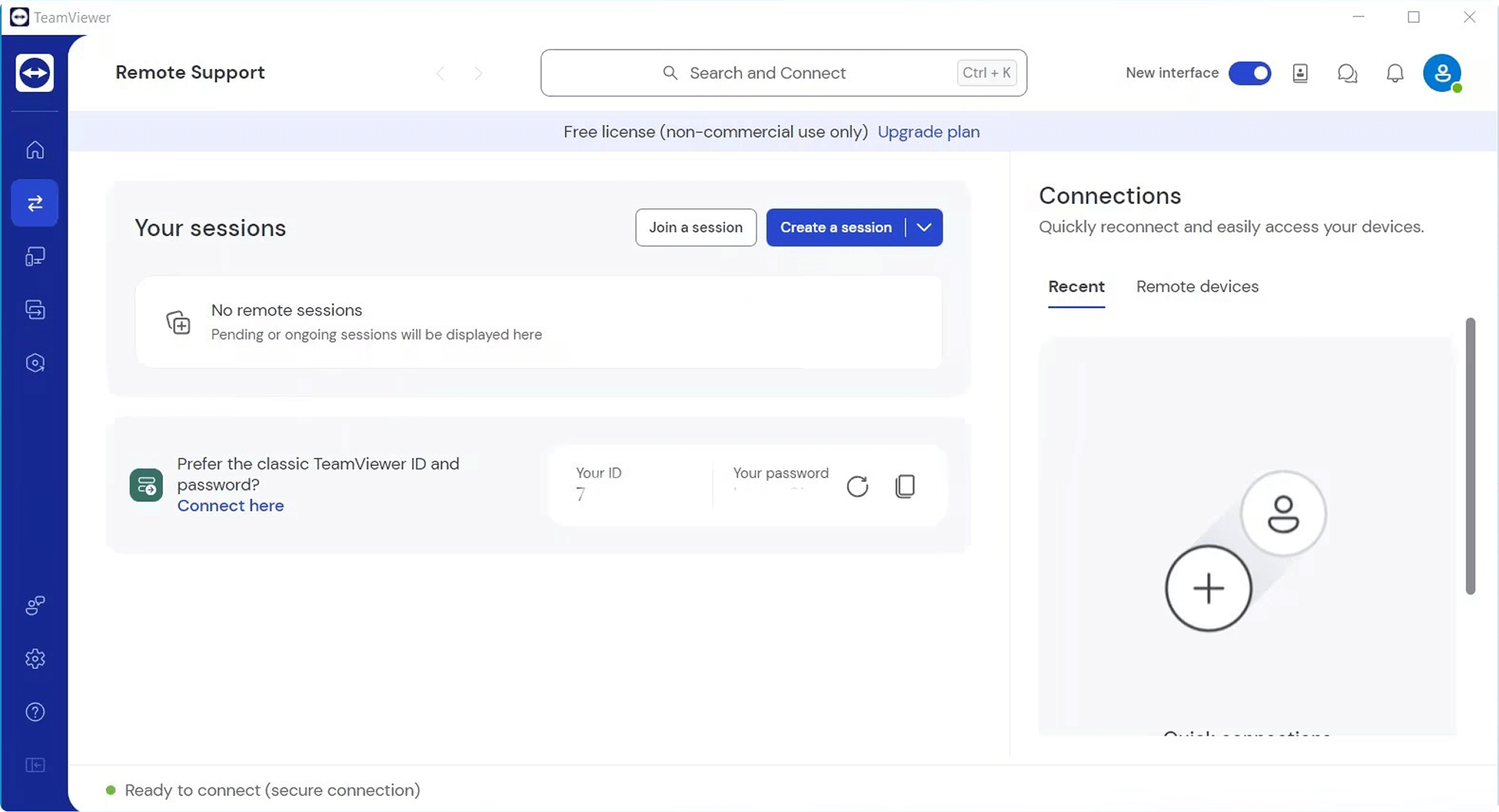
TeamViewer is a well-known remote access solution used for device control, IT support, and system maintenance. It supports a wide range of platforms and is commonly used in business environments for troubleshooting, collaboration, and ongoing system administration.
Features
1. Remote Access & Session Management
LogMeIn Resolve supports both attended and unattended remote access, allowing technicians to connect to managed devices when needed. It provides centralized device visibility through a management console, with controls for organizing endpoints, applying access permissions, and monitoring device availability—capabilities that support both individual workflows and team-based IT operations.
TeamViewer offers both attended and unattended access as well. It even includes session recording and remote reboot. Besides that, its tab-based layout allows users to move between several active connections with ease. On the Premium plan, multiple users can work at once, with session handoff making it possible to transfer a session from one technician to another, which works well for MSPs and help desk teams.
2. Collaboration & File Sharing
LogMeIn Resolve includes core collaboration features such as file transfer, clipboard sharing, and in-session chat. It also supports centralized oversight through role-based access controls and device organization, enabling IT teams to coordinate support activities and manage multiple endpoints within a single environment.
TeamViewer comes with collaboration tools, too, that allow users to communicate, join voice or video calls, and work together using a shared whiteboard. It also provides helpful features — like drag-and-drop file transfer and remote printing — for completing document-related tasks. Individuals with a premium plan can have multiple technicians join a single session. This allows them to provide faster and more efficient support.
3. Customization & Branding
LogMeIn Resolve allows administrators to configure access policies, user roles, and deployment settings. It supports standardized configurations that help maintain consistent access and management practices across teams, while offering limited branding and white-labeling capabilities compared to enterprise-focused platforms.
TeamViewer places more focus on branding and advanced features. It lets businesses personalize QuickSupport and Host modules by adding their own logo, colors, and custom text. This level of personalization makes it a solid fit for IT service providers that work closely with clients.
4. Performance & Ease of Use
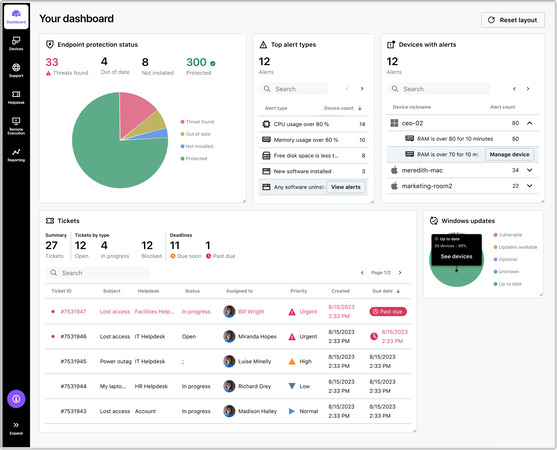
LogMeIn Resolve is designed for stability and centralized control rather than minimalism. Its web-based console presents device status, access settings, and management tools in a structured layout that supports IT operations without extensive onboarding.
TeamViewer has a wide range of capabilities, and so new users may have to spend more time picking it up. Still, it performs reliably even when connecting to remote devices, and technicians can easily reach monitoring tools, transfer files, and manage devices.
5. Team & Device Management
LogMeIn Resolve is designed to support centralized management of multiple endpoints and users. Its capabilities include a unified device dashboard, role-based access control, device grouping and tagging, monitoring and alerting, and support for remote tasks and automation—features that make it suitable for IT teams responsible for maintaining large device environments.
TeamViewer provides teams with an easy-to-use management console to organize devices and control who can access what. It lets you work with other people across devices, too. Moreover, multiple users can work on the same session simultaneously and hand it off between technicians. You can also group devices using the software. These features make TeamViewer ideal for businesses of all sizes that manage IT infrastructure.
Feature Comparison: LogMeIn Resolve and TeamViewer
| Feature | LogMeIn Resolve (Starter) | LogMeIn Resolve (Growth) | TeamViewer Business | TeamViewer Premium |
| Mobile Access | ✔ | ✔ | ✔ | ✔ |
| File Transfer | ✔ | ✔ | ✔ | ✔ |
| Concurrent Sessions | Endpoint-based | Endpoint-based | 1 | 1 |
| Session Transfer | ✘ | ✘ | ✔ | ✔ |
| Session Recording | ✔ | ✔ | ✔ | ✔ |
| Chat / Communication | ✔ | ✔ | ✔ | ✔ |
| Remote Printing | ✔ | ✔ | ✔ | ✔ |
| Audio Support | ✔ | ✔ | ✔ | ✔ |
| Device & User Management | Basic | Advanced | Basic | Advanced |
| Monitoring / Alerts | ✘ | ✔ | ✘ | ✘ |
| Automation / Scripting | ✘ | ✔ | ✘ | ✘ |
| Role-Based Access Control | ✘ | ✔ | ✘ | ✔ |
| USB Device Redirection | ✘ | ✘ | ✔ (OS-dependent) | ✔ (OS-dependent) |
Interface Comparison
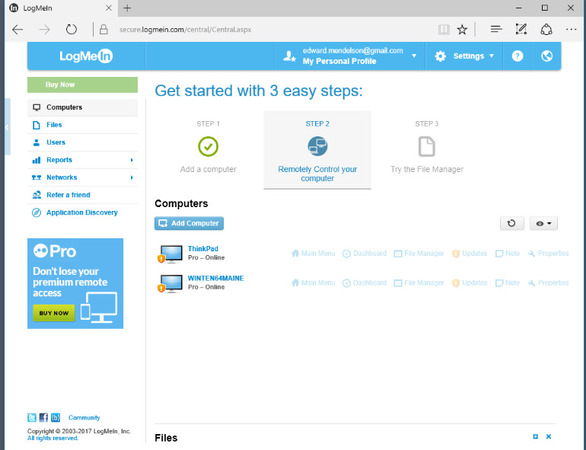
LogMeIn Resolve uses a unified web-based interface designed for IT administration. Devices, users, and policies are organized in a single dashboard, giving teams a clear overview of their environments. While more structured than lightweight remote desktop apps, the interface supports consistent management across multiple endpoints.
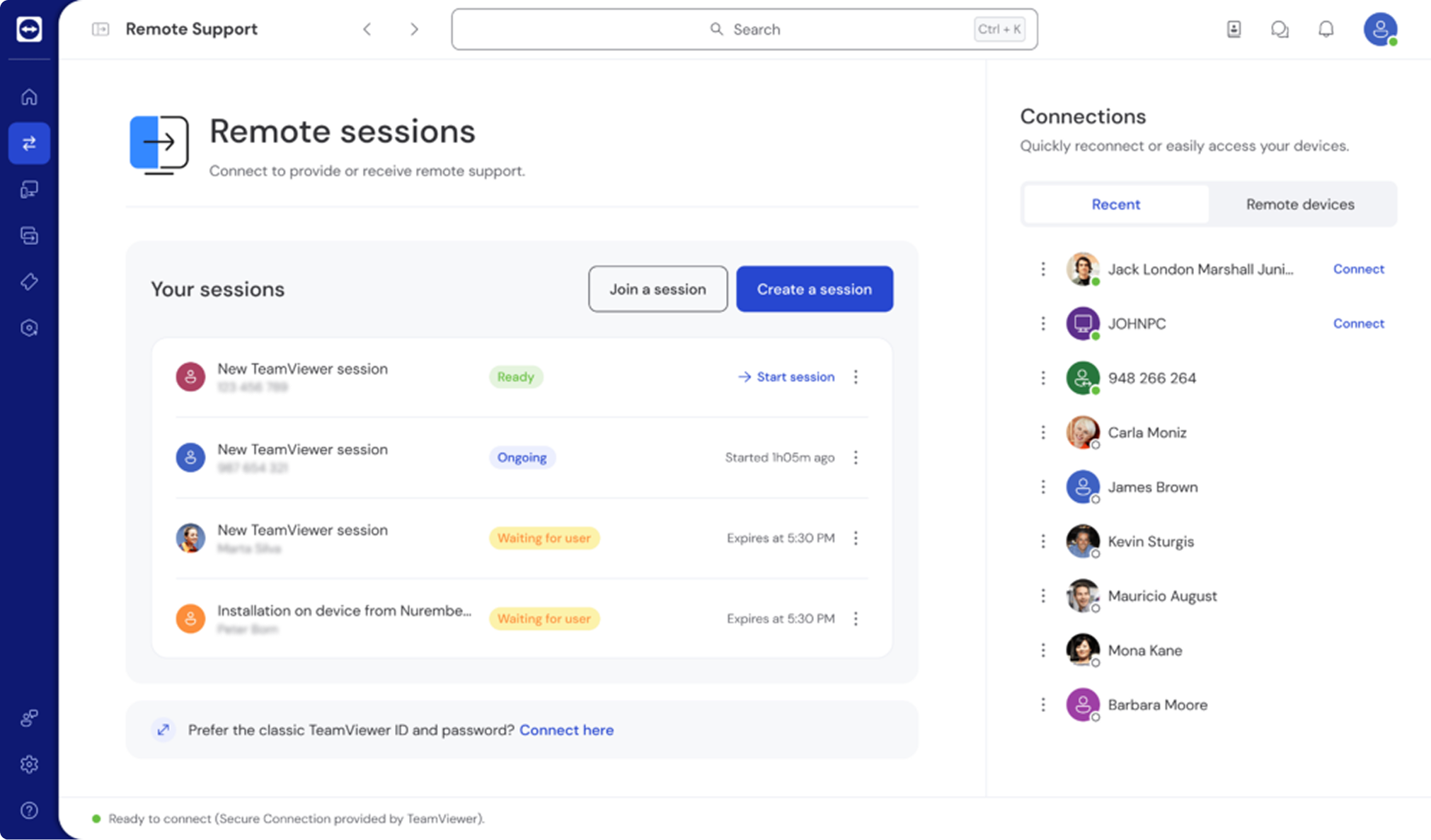
As for TeamViewer, it includes an interface with a lot of functions that are designed for technical users. Its tabbed session layout allows technicians to manage multiple remote connections at once. There’s also a side panel that keeps chat, file transfers, system information, and admin tools easily accessible. Even though it offers more tools than LogMeIn Resolve’s basic plans, the interface helps technicians stay on top of several tasks and deal with complicated troubleshooting, making it particularly useful for high-demand support teams.
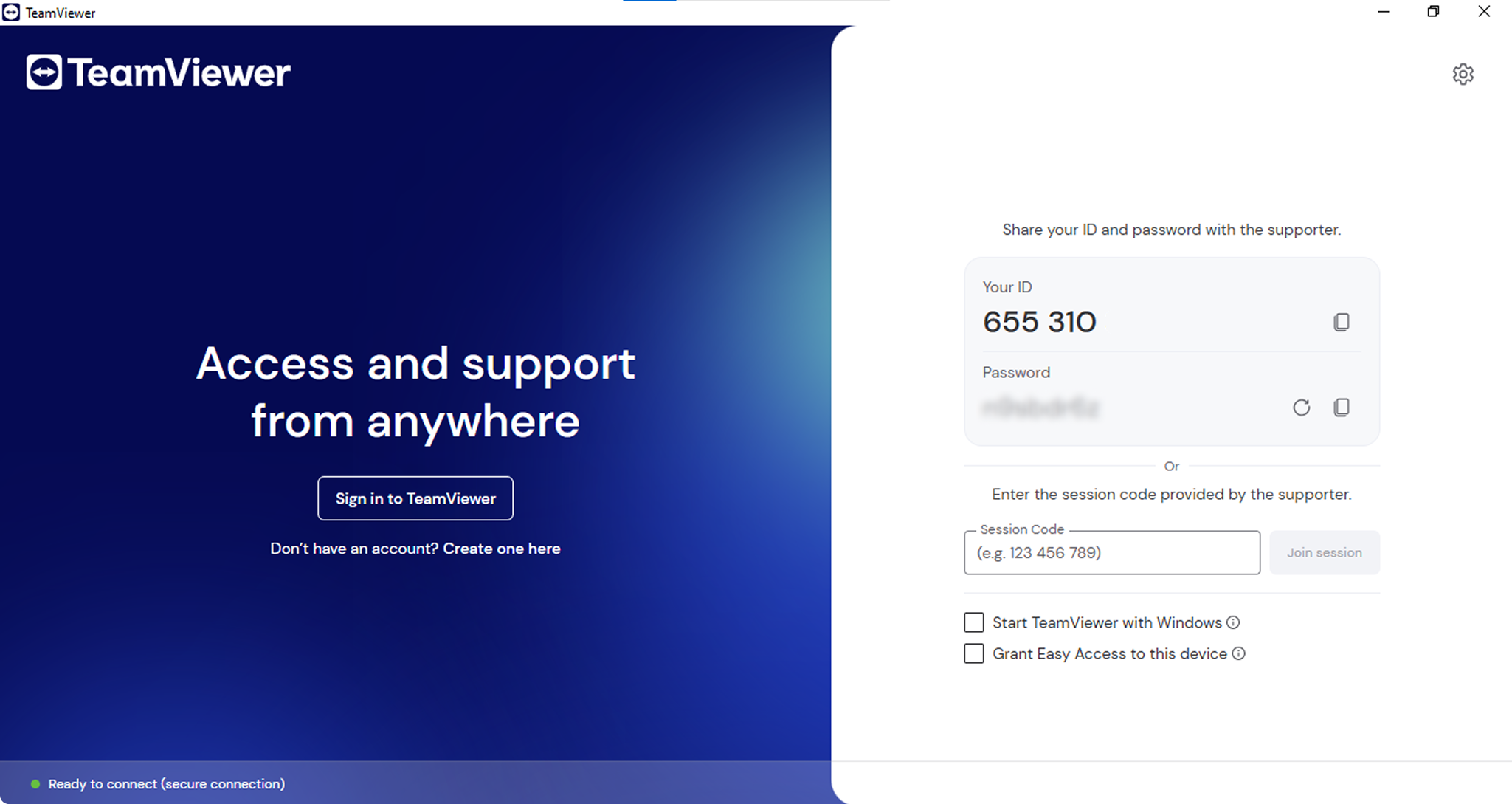
New users might find TeamViewer a bit tricky at first. Meanwhile, experienced technicians can really take advantage of its powerful tools to provide remote support.
Operating System Support
Before choosing a remote access platform, it’s important to confirm compatibility with your devices.
| Operating System | LogMeIn Resolve | TeamViewer |
| Windows | ✔ | ✔ |
| macOS | ✔ | ✔ |
| Linux | Limited (management & viewer tools only) | ✔ |
| Android | ✔ (mobile app) | ✔ |
| iOS | ✔ (mobile app) | ✔ |
| Chrome OS | Limited (web access only) | Limited (web client) |
| Raspberry Pi | ✘ | ✔ (ARM version) |
| FreeBSD | ✘ | ✔ (limited support) |
Security
Security is critical for any remote access solution, as these tools provide direct access to sensitive systems and data.
LogMeIn Resolve Starter and Growth Security
- • AES-256 encryption & secure transport: The system protects all connections with strong encryption. This will help keep your data safe while it moves across networks.
- • Host access codes & authentication controls: You can set access codes and rules to control who connects.
- • Two-factor authentication (2FA): Users need to complete an extra step to sign in to their account. This additional verification is placed to protect accounts.
- • Role-based access control (RBAC): Admins assign roles and permissions in team plans. This way, users can only access what they need.
- • Audit logs & activity tracking: Detailed logs track user activity and help with troubleshooting, as well as with compliance and reviews.
- • Single sign-on (SSO): Higher-level plans offer this. It lets teams log in through their company system to manage accounts centrally.
- • Enterprise compliance standards: The platform follows key rules like GDPR and SOC 2 to keep your organization compliant.
TeamViewer Premium and Business Security
- • AES-256 Bit Session Encryption: Everything you share is kept private and protected with strong encryption.
- • Two-Factor Authentication: Individuals need to verify their identity through an authenticator app or SMS.
- • Device Authorization & Whitelisting: New devices need approval from admins. Only authorized hardware can connect.
- • One-Time Passwords (OTP): Temporary session codes allow secure connections on the spot.
- • Session Recording & Audit Logs: Organizations can track the activity of users for compliance. They can use it for training staff, too.
- • Enterprise Certifications: Complies with GDPR, ISO 27001, SOC 2, HIPAA, or other crucial standards.
- • Advanced Access Controls: Admins can set security rules and decide who gets access. They can organize devices across the company, too.
Usage Scenarios
Whether you’re a solo freelancer or managing a team of IT technicians, LogMeIn and TeamViewer provide flexible licensing options that fit different environments.
Let’s take a closer look at how their main plans perform in everyday workflows.
LogMeIn Resolve
- • Resolve Starter: Made for individual technicians who need reliable unattended access and basic monitoring of endpoints.
- • Resolve Growth: Built for IT teams handling many devices, giving them a single place to set roles, and even to manage users or keep track of devices.
- • Advanced Plan: Intended for organizations that are scaling up and need more automated workflows, broader device management, as well as better reporting and tighter control over users and devices.
- • Complete Plan: Designed for mature IT setups with more advanced requirements. It gives full visibility, plus advanced security and compliance features. It offers scalable device management and extra integrations for enterprise-level operations, too.
TeamViewer
- • Remote Access License: Ideal for individual users who want a simple and safe way to access their personal or home computers.
- • Business License: Best for individual professionals needing reliable remote access to up to 200 devices.
- • Premium, Corporate, and Tensor Plans: Built for expanding teams and more advanced setups. These plans offer stronger oversight and easy-to-read reports. They also provide the ability to add more users and management capabilities that grow alongside the company.
- • Tensor Plan: Made for large, global enterprises. It delivers enterprise-level security and centralized admin control, along with worldwide access and options to integrate with business systems you already have.
Integration
Making the tools work smoothly with your current IT systems can make daily tasks easier and even automate some of your workflows. LogMeIn Resolve and TeamViewer handle third-party integrations and ticketing platforms in different ways. They also vary in the level of support they provide for larger enterprise setups.
| Integration Feature | LogMeIn Resolve (Starter) | LogMeIn Resolve (Growth) | TeamViewer Business | TeamViewer Premium |
| API Access | ✘ | ✔ | Basic | Advanced |
| ITSM Integration | ✘ | Limited (API-based) | Basic | Extended |
| CRM Integration | ✘ | Limited (via third-party tools) | Partial | Broader support |
| Workflow Automation | ✘ | ✔ | ✘ | Basic |
| Third-Party App Compatibility | Limited | Standard | Basic | Broad |
| White-Label Branding | ✘ | Limited | ✔ | ✔ |
| Admin Console / User Management | Basic | Advanced | Console | Full console |
| Ticketing Support | ✘ | Limited | Basic | Extended |
| SDK / Developer Tools | ✘ | ✔ (API-based) | Limited | More extensive |
LogMeIn Resolve Integrations
- • Resolve Starter: Designed to work on its own as a remote support tool, without API access or built-in integrations.
- • Resolve Growth: Adds API access and automation so you can connect it to internal systems through tailored workflows and third-party tools.
TeamViewer Integrations
- • Premium: Includes built-in ITSM and CRM connections, as well as webhooks and automation. It also provides options for advanced personalization for larger organizations.
- • Business: Provides basic API access and a limited number of third-party integrations for small teams.
Pricing
Price often matters most when choosing a remote access tool. LogMeIn and TeamViewer both have tiered plans for individuals and teams, though they differ in how much they are worth and what you get at each level.
LogMeIn Resolve Pricing Plans
- Free (Personal Use Only)
- • Available for non-commercial use
- • Limited features
- • Not permitted for business use
Starter — $23/month (billed annually)
- • Secure unattended access to managed Windows, macOS, and Android devices
- • Starts at 25 endpoints
- • Unlimited agents
- • Core remote access features
Growth — $44/month:
- • Remote support and unattended access
- • Modern service management tools
- • Starts at 100 endpoints
- • Unlimited agents
Advanced — $63/month
- • Remote monitoring and management (RMM)
- • Integrated remote access
- • Asset management features
- • Starts at 25 endpoints
- • Unlimited agents
Complete — $75/month
- • Unified endpoint management platform
- • Combines RMM, MDM, and automation
- • Proactive device management
- • Starts at 25 endpoints
- • Unlimited agents
TeamViewer Pricing Plans
- Free (Personal Use Only)
- • Available for non-commercial use
- • Limited features
- • Not permitted for business use
TeamViewer Remote Access — $24.90/month
- • 1 licensed user
- • 1 concurrent connection
- • 3 managed devices
- • Basic remote access functionality
TeamViewer Business— $50.90/month
- • 1 licensed user
- • 1 concurrent connection
- • 200 managed devices
- • Basic remote access functionality
TeamViewer Premium — $120.90/month
- • 15 licensed users
- • 1 concurrent connection
- • Up to 300 managed devices
- • File transfer and remote printing included
For Teams (Corporate) — $245.90/month
- • Up to 30 licensed users
- • 3 concurrent connections
- • Up to 500 managed devices
- • Team management and reporting tools
Tensor — Custom Pricing
- • Enterprise-grade deployment
- • Advanced security, SSO, and audit logs
- • Custom integrations and compliance tooling
- Free (Personal Use Only)
| Pricing Tier | LogMeIn Resolve | TeamViewer |
| Free Trial | ✔ | ✔ |
| Free Personal Use | ✔ | ✔ |
| Entry Level | $23/month (Starter) | $24.90/month (Remote Access) |
| Level 1 | $44/month (Growth) | $50.90/month (Business) |
| Level 2 | $63/month (Advanced) | $120.90/month (Premium) |
| Level 3 | $75/month (Complete) | $245.90/month (Corporate) |
| Enterprise | ✘ (Not available) | Tensor (Custom pricing) |
Possible Errors and Restrictions
Both tools generally work well and keep your data safe, though users might run into limitations or problems based on certain network setups, system requirements, or plan features.
LogMeIn Resolve
Limited native Linux support: Linux endpoints have restricted remote control capabilities compared to Windows and macOS, and may rely on browser-based access or limited functionality depending on configuration.
Plan-dependent feature availability: Some advanced capabilities—such as extended monitoring, automation, or API-based integrations—are available only in higher-tier plans or as add-ons, which can increase overall cost and complexity.
Browser-based access limitations: When accessing devices through a web browser, certain features available in the full desktop client may be limited or unavailable, which can affect advanced troubleshooting or management tasks.
Learning curve for centralized management: Resolve’s unified console is designed for IT administration, which may require initial setup time and familiarity, especially for teams transitioning from simpler remote desktop tools.
Scalability considerations: As the number of managed endpoints grows, organizations may need to adjust plans or add capabilities to maintain visibility and performance across their environments.
TeamViewer
Commercial Use Detection: The free version will automatically stop your session if it notices you’re using it for commercial purposes.
Session Restrictions: Both Business and Premium plans include one concurrent connection. The key difference is the number of licensed users: Business supports 1 user, while Premium supports up to 15 users.
Network Blocking: Some proxies and corporate firewalls can block sessions from launching.
Forced Updates: TeamViewer occasionally requires updates, and they can disrupt long-running sessions.
Version Mismatch: Devices need compatible versions, because otherwise connections may fail.
Higher Pricing: Higher-tier plans offer advanced tools and monitoring features. They also provide enterprise integrations. Because of this, smaller teams may find these plans on the expensive side.
Pros and Cons
Here are the main benefits and limitations of LogMeIn and TeamViewer, designed to help you decide. These points reflect the products’ features, real-world usage, and feedback from IT and business professionals.
Pros
- Unified platform that combines remote access, remote support, and endpoint management within a single environment.
- Centralized administrative controls that help manage users, devices, and access policies consistently.
- Monitoring and alerting capabilities that support proactive IT operations and system visibility.
- Suitable for IT teams and MSPs responsible for managing multiple endpoints across distributed environments.
Cons
- Pricing can scale with the number of managed endpoints, making it less cost-effective for very small teams.
- Limited native Linux remote control compared to Windows and macOS platforms.
- Some advanced features require higher-tier plans or add-ons, which may add complexity to licensing decisions.
- Browser-based access does not always offer feature parity with full desktop clients.
TeamViewer:
“TeamViewer: Secure, Easy Remote Support with Top-Notch Customer Service”— Read full review
Pros
- Free for personal use.
- Compatible with a wide range of platforms, including IoT devices, ARM systems, and Raspberry Pi.
- Strong collaboration functions such as chat, VoIP, video calls, and a shared whiteboard.
- Simple installation with minimal setup required.
- Customizable support modules that you can brand for clients.
- Plenty of ways to connect with ITSM, CRM, automation tools, and APIs.
- Comprehensive documentation and enterprise-level support.
Cons
- Performs best only with a solid, high-speed internet connection.
- Higher-tier licenses can be expensive for smaller teams.
- Connections may fail if device versions are not compatible.
- Mandatory updates can occasionally disrupt active sessions.
- Large file transfers may stall on slow or restricted networks.
- Advanced features are limited to Premium or Corporate plans.
HelpWire: A Strong Alternative
HelpWire offers a modern alternative. It’s a next-generation remote desktop platform designed for fast, secure, and user-friendly remote support—without all the extra layers and complicated setups typical of traditional enterprise software.
It’s suitable for individuals, freelancers, IT technicians, and businesses seeking professional-grade tools without the high licensing costs.
Primary features:
- •Fast, Low-Latency Remote Access: Optimized streaming ensures flawless operation even on slower or unstable networks.
- •Cross-Platform Support: Works smoothly on Windows, macOS, and Linux.
- •Session Recording & Reporting: Useful for audits, compliance, training, and documentation.
- •Secure File Transfer & In-Session Chat: Send files and chat in real time during sessions.
- •No Installation Required for Clients: Support sessions begin immediately through a secure browser link.
- •Unattended Access: Connect to vital workstations and servers at any time without needing anyone to be present.
- •Enterprise-Grade Security: Features end-to-end encryption, two-factor authentication, and Auth0-based identity protection.
HelpWire delivers top-notch performance and robust security. On top of that, it offers user-friendly operation. It provides all these benefits without the complexity and steep prices of conventional remote desktop software. Because of this, it’s a strong alternative to LogMeIn and TeamViewer for modern IT teams.
LogMeIn Resolve