Choosing the right remote access solution can be challenging, especially with so many similar-sounding options on the market. In this article, we compare two widely used tools: ConnectWise ScreenConnect and LogMeIn Pro.
We’ll break down their key features, usability, security, and pricing models to help you decide which tool best fits your needs, whether you’re supporting a remote workforce or simply managing your own machines from afar.
Overview

ConnectWise ScreenConnect (formerly ConnectWise Control) is a technician-focused remote support platform used by IT teams and MSPs.
It supports both attended and unattended sessions, offers features like session recording, command-line access, and “Backstage” mode for background troubleshooting.
Licensing is based on the number of concurrent technicians, with optional agent packs for unattended endpoints.

LogMeIn Pro is a personal remote access solution designed for individuals and small teams who need to access their own computers from anywhere.
It focuses on both attended and unattended access to personal workstations, offering features like file transfer, remote printing, multi-monitor display, online file storage (up to 1TB), and built-in antivirus powered by Bitdefender.
Pricing is based on the number of computers you need to access, with plans ranging from 2 to 10 computers per user.
Features
After reviewing both platforms, here’s how ConnectWise ScreenConnect and LogMeIn Pro compare across core remote access features.
1. Remote Access & Session Handling
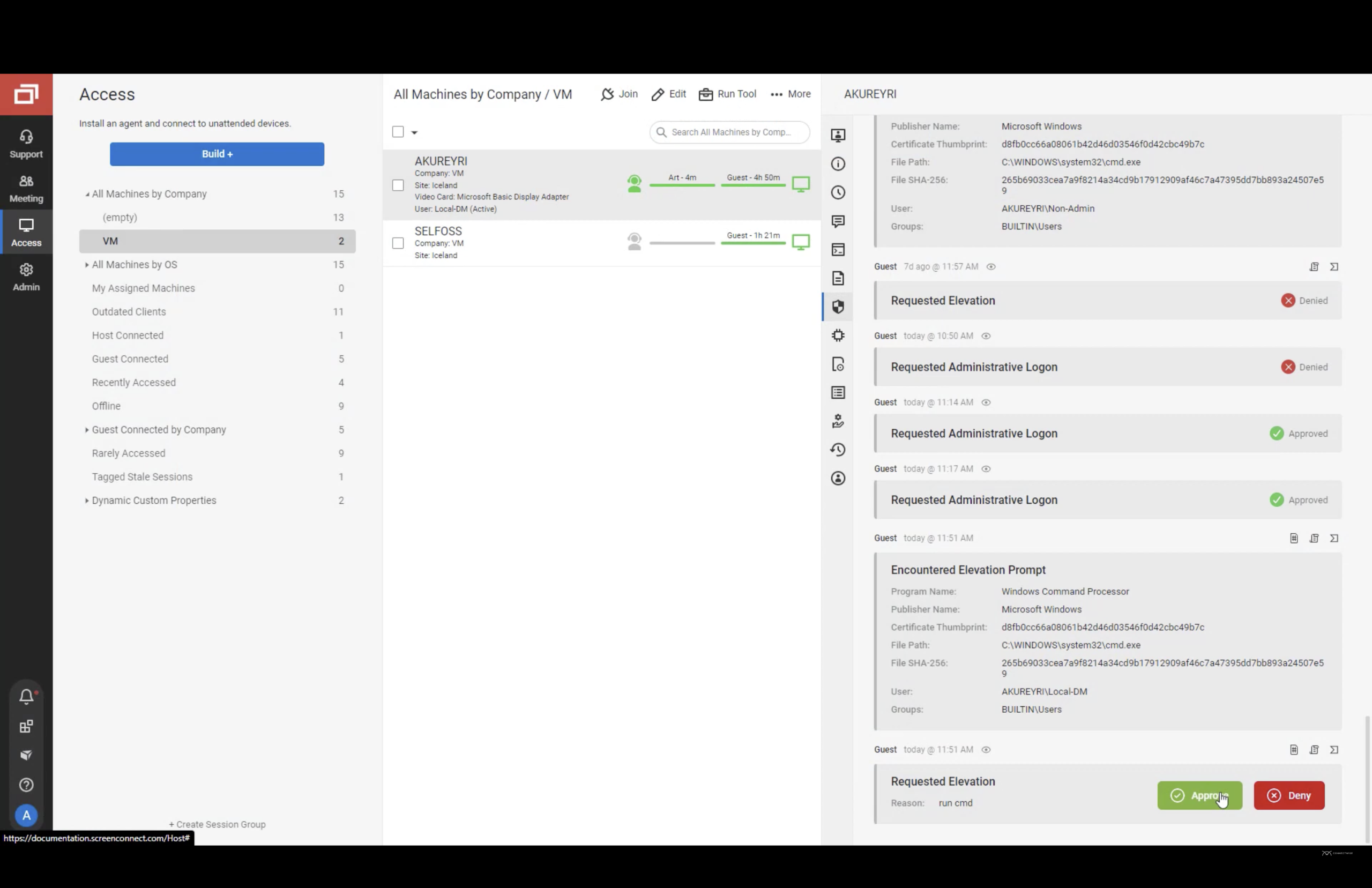
ScreenConnect supports both attended and unattended sessions with fast connection speeds. It includes Backstage mode for background work, remote reboot, session logging, and technician-to-technician transfer – great for collaborative troubleshooting.
LogMeIn Pro is built for quick, reliable remote access to your own computers (hosts you’ve installed LogMeIn on). It offers one-click connections to saved machines, Wake-on-LAN support, and convenient productivity features such as file transfer and remote printing. Overall, it’s optimized for personal productivity and small-team access rather than technician-driven IT support workflows.
2. File Transfer & In-Session Tools
ScreenConnect supports drag-and-drop file transfers, remote clipboard, and session chat. It also offers basic annotation and screen scaling.
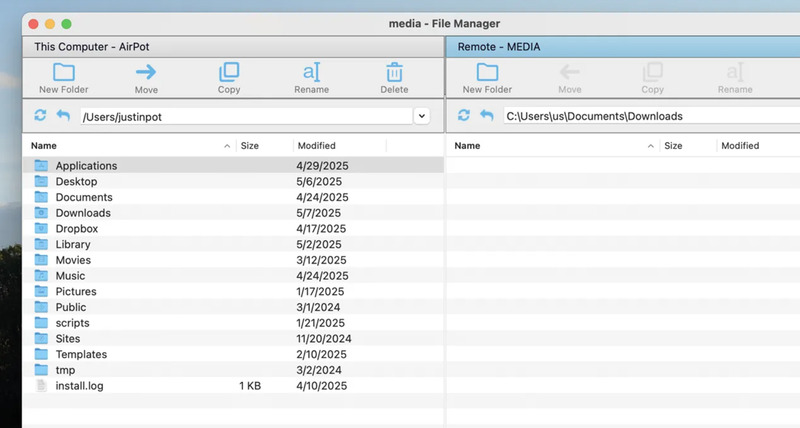
LogMeIn Pro excels at file management with file transfer, remote file access via a File Manager (even without connecting to the full desktop), remote printing to local printers, clipboard sync, online file storage (up to 1TB), and sound streaming. It’s designed for seamless work-from-anywhere functionality.
3. Security
ScreenConnect provides TLS and AES-256 encryption, role-based access controls, IP filtering, and detailed audit logs. On-premise deployment is also an option for full control.
LogMeIn Pro offers 256-bit AES encryption, two-factor authentication, SSL/TLS security, and the ability to set access permissions. While it’s cloud-only, it maintains strong security standards suitable for business use.
4. Customization & Integrations
ScreenConnect allows custom branding, technician roles, UI tweaks, and script-based automation. It also integrates with PSA/RMM tools and the broader ConnectWise ecosystem.
LogMeIn Pro offers limited customization as it’s a consumer/prosumer product. However, it includes online file storage and sharing (up to 1TB) and focuses more on personal preferences than enterprise branding.
5. User Workflow & Experience
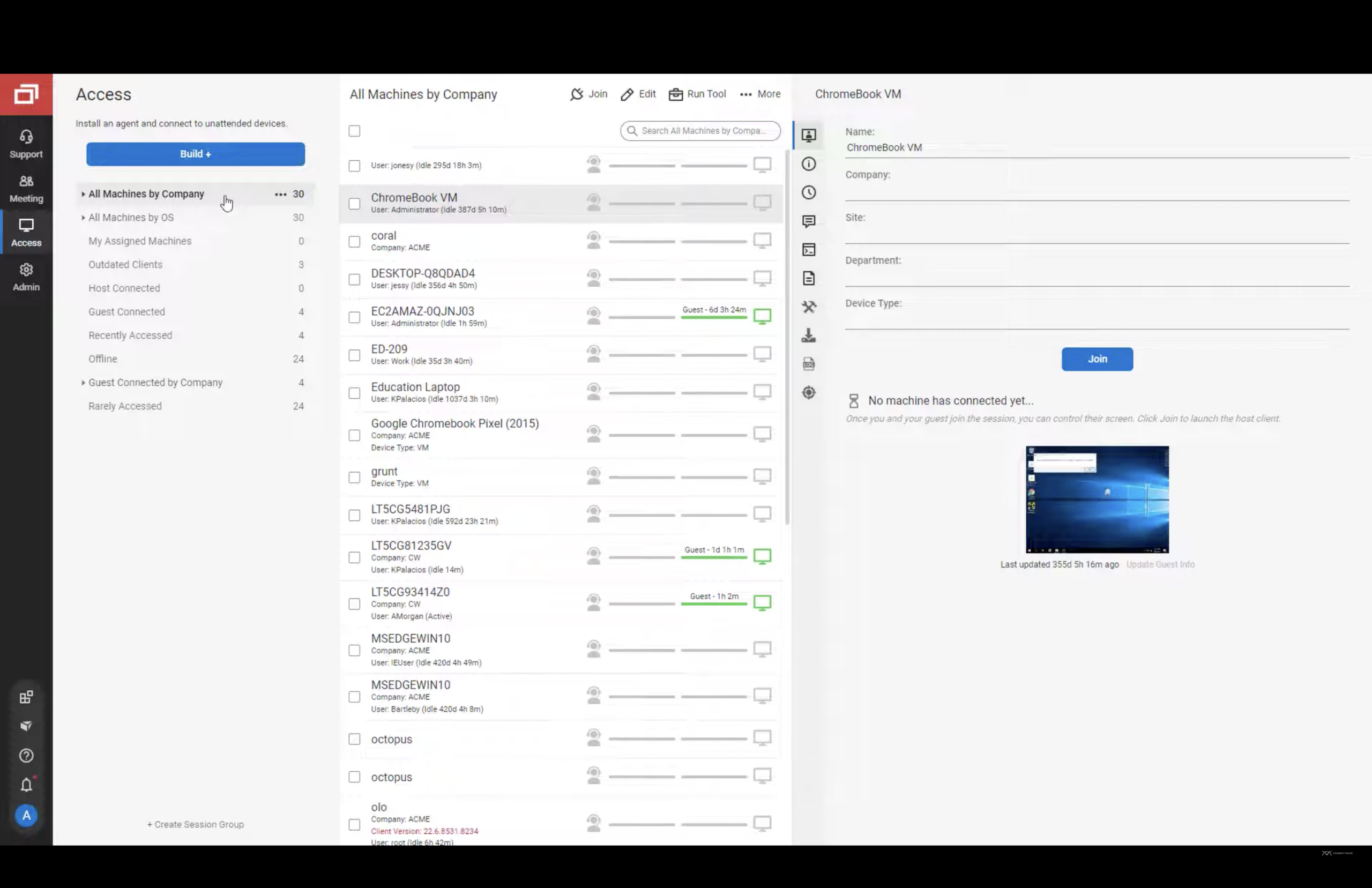
ScreenConnect has a smooth web-based console with multi-tabbed sessions, multi-monitor support, and technician queuing. It runs well in-browser and offers a desktop app option.
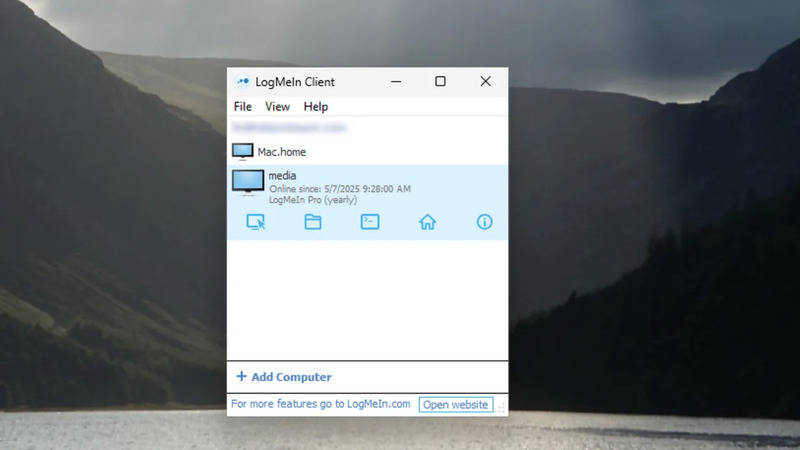
LogMeIn Pro provides a simple, intuitive interface focused on quick access. The host list shows all your computers at a glance with online/offline status. Mobile apps are polished and user-friendly, making it easy to access your desktop from phones or tablets.
6. Deployment & Management Tools
ScreenConnect can be self-hosted or cloud-based, offering flexibility for internal IT or MSPs. Tools like Backstage, the Toolbox, and command-line access give admins strong control over remote environments.
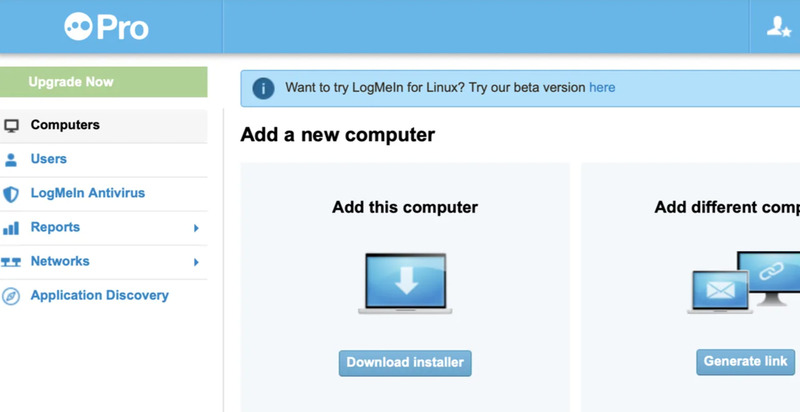
LogMeIn Pro is cloud-only with a straightforward setup. Install the host software on computers you want to access, and they appear in your account. Central management is limited compared to enterprise tools, but it’s perfect for individual users or small teams managing their own devices.
Feature Comparison Table
| Features | ScreenConnect | LogMeIn Pro |
|---|---|---|
| Attended Support Sessions |
|
|
| Unattended Access |
|
|
| File Transfer | ||
| Remote Printing | ||
| Remote Clipboard | ||
| Multi-Monitor Support | ||
| Session Chat | ||
| Mobile Access | ||
| Role-Based Access Control | Limited | |
| Audit Logging | Basic | |
| On-Premise Deployment Option | ||
| Branding & UI Customization | ||
| Script Automation | ||
| Cloud Storage Integration | ✓ (online file storage up to 1TB) |
Interface Сomparison
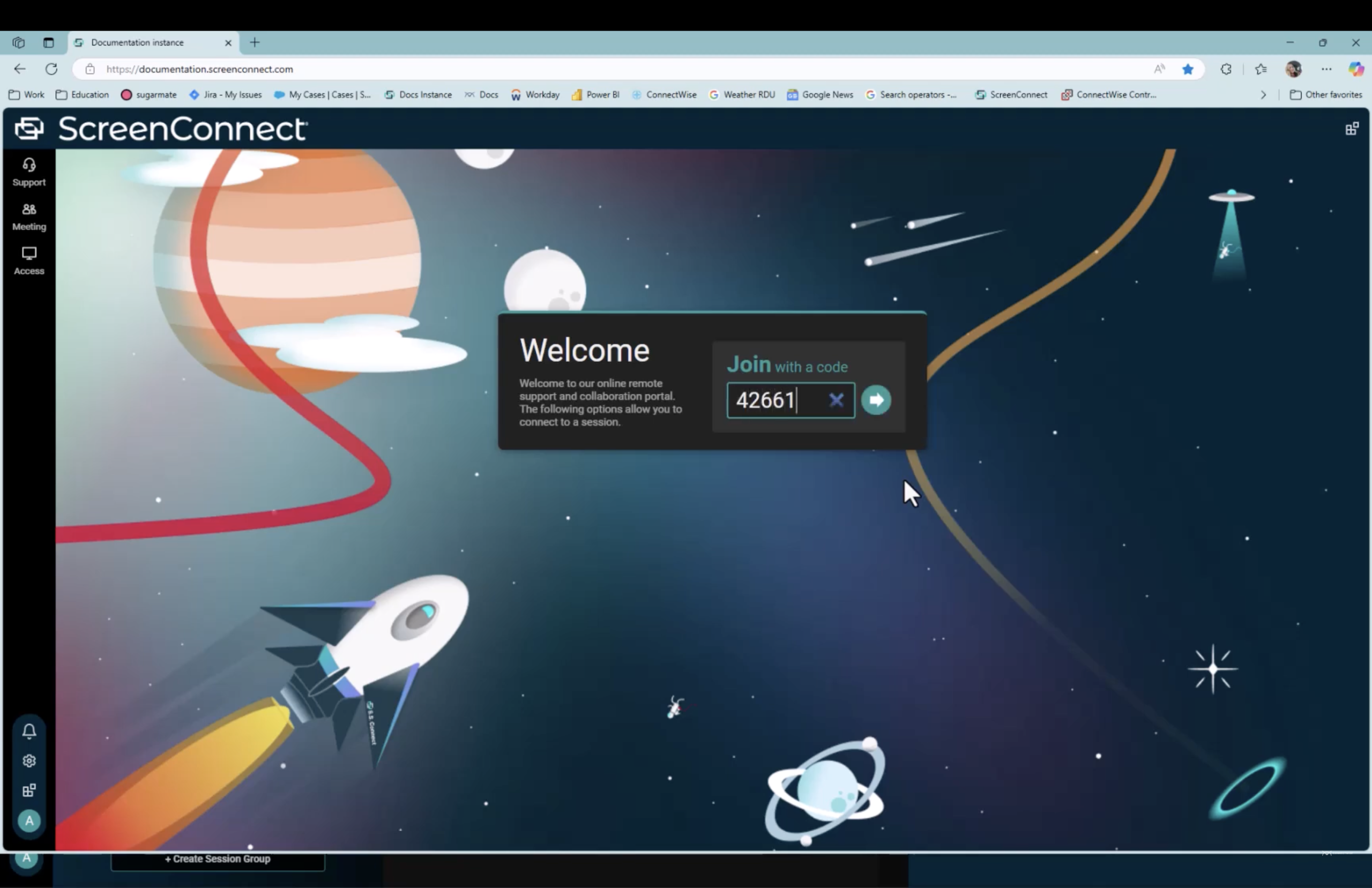
ScreenConnect offers a clean, technician-friendly layout with customizable tools and quick access to sessions, designed for IT professionals managing multiple clients.
LogMeIn Pro provides a streamlined, consumer-friendly interface with a simple computer list and one-click connection, optimized for individuals accessing their own machines.
Compatibility
ScreenConnect supports all major operating systems for both host and client use cases. LogMeIn Pro is designed primarily for Windows and macOS host computers, with access from browser/desktop and iOS/Android clients (Linux/Chrome OS support is not listed as supported client platforms in current requirements).
| Operating System | ScreenConnect | LogMeIn Pro |
|---|---|---|
| Windows | ||
| macOS | ||
| Linux | ||
| Android | ||
| iOS | ||
| Chrome OS |
Pros and Cons
Connectwise ScreenConnect
Pros
- Offers on-premise deployment and full branding control.
- Powerful tools like Backstage, Toolbox, and session transfer.
- Supports unlimited unattended agents with flexible pricing.
- Fast, lightweight interface ideal for technicians.
- Built for IT support and MSP workflows
Cons
- Some advanced features require higher-tier plans.
- More complex than needed for simple personal remote access
- Steeper learning curve for non-technical users
LogMeIn Pro
Pros
- Simple, intuitive setup perfect for individuals and small teams
- Supports both unattended access and attended Desktop Sharing
- Remote printing and file access without full desktop connection
- Strong mobile apps for iOS and Android
- Reliable performance with minimal configuration
Cons
- Designed for personal use rather than professional IT support workflows
- No on-premise hosting option
- Higher per-computer cost compared to alternatives
- Limited customization and branding options
- Not suitable for MSPs or large IT departments
Pricing
ScreenConnect and LogMeIn Pro use different pricing models that reflect their distinct target audiences.
ConnectWise ScreenConnect
ScreenConnect licenses per technician, with optional add-ons for unattended agents. It’s flexible and scalable, especially for IT teams that need unlimited endpoints per user.
Plans (billed annually):
- • One – $30/month: 1 tech, 1 concurrent session, 10 unattended agents.
- • Standard – $45/month: 1 tech, 3 sessions, unlimited unattended agents.
- • Premium – $55/month: 1 tech, 10 sessions, advanced features (reporting, video capture, diagnostics).
LogMeIn Pro
LogMeIn Pro charges per user based on the number of computers you need to access. All features are included in each tier.
Pricing (billed annually):
- • Pro – $30/month per user: Access up to 2 computers
- • Pro (5 computers) – $70/month per user: Access up to 5 computers
- • Pro (10 computers) – $129/month per user: Access up to 10 computers
For larger deployments and more advanced admin/device management, GoTo positions LogMeIn Central as the next step.
Pricing Comparison Table
| Plan Detail | ScreenConnect | LogMeIn Pro |
|---|---|---|
| Free Trial | 14 days | 14 days |
| Billing Model | Per technician license + optional agents | Per user + number of computers |
| Entry-Level Plan | $30/month (1 tech, 1 session, 10 agents) | $30/month (2 computers) |
| Standard Plan | $45/month (3 sessions, unlimited agents) | $70/month (5 computers) |
| Premium Plan | $55/month (10 sessions + advanced tools) | $129/month (10 computers) |
Free ScreenConnect and LogMeIn Alternative
If neither ScreenConnect nor LogMeIn Pro fits your budget or needs, HelpWire offers a streamlined, zero-cost alternative built for IT professionals, support teams, and small businesses.
Why HelpWire Stands Out
-
On-demand and unattended sessions.
-
Cross-platform support for Windows, macOS, and Linux.
-
Drag-and-drop file transfer, multi-monitor view, and session chat.
-
Admin access for advanced troubleshooting.
-
Centralized team and client management tools.
-
AES-256 encryption and secure TLS connections for peace of mind.
HelpWire combines essential remote support features with a user-friendly experience, without the overhead of enterprise pricing or steep learning curves.
Whether you’re a solo tech or part of a growing support team, HelpWire delivers reliable functionality that rivals paid tools.
Conclusion
ConnectWise ScreenConnect and LogMeIn Pro serve fundamentally different purposes, making the choice between them straightforward once you understand your use case.
ScreenConnect is purpose-built for IT professionals, MSPs, and support teams who need to provide remote assistance to clients or employees. It offers powerful technician tools, flexible deployment options, and collaborative features. If you’re running a help desk or managing IT for multiple clients, ScreenConnect is the clear choice.
LogMeIn Pro, on the other hand, is designed for individuals and small teams who need reliable access to their own computers from anywhere. It excels at personal productivity features like remote printing, file access, and seamless mobile connectivity. If you’re a remote worker, consultant, or small business owner who needs to access your own machines, LogMeIn Pro is the better fit.
Choose ScreenConnect if you:
- • Provide IT support or help desk services
- • Need attended support sessions with clients
- • Want on-premise deployment options
- • Require extensive customization and branding
- • Manage remote access for an MSP or IT department
Choose LogMeIn Pro if you:
- • Need personal remote access to your own computers
- • Work remotely and access your office workstation
- • Want simple, reliable unattended access
- • Need remote printing and file management
- • Prefer a plug-and-play solution without complex setup
And if you’re looking for a free, flexible alternative that covers IT support essentials without cutting corners, HelpWire offers the best of both worlds for teams on a budget.