
TeamViewer vs BeyondTrust (Bomgar) Remote Support: A Comprehensive Evaluation

It is essential to find a remote support platform that aligns with your workflow. Regardless of your role in the IT environment, the tool you use impacts your response time, security, and the total cost of ownership.
- • Comparing the main differences between TeamViewer and BeyondTrust Remote Support in terms of deployment, security, and other features;
- • Identifying the platform that supports your team size, industry, and workflow expectations;
- • Examining the pricing options available from the tools to maximize your investment;
- • Giving you the data to confidently select the right remote support platform.
Overview
TeamViewer and BeyondTrust Remote Support are professional-grade support solutions that enable technical teams to manage endpoints and resolve user issues remotely. The primary differences between the tools lie in their approach to deployment, licensing models, and emphasis on tight controls versus speed and accessibility.
BeyondTrust (Bomgar)
Best for: BeyondTrust is best used by enterprise clients and organizations in healthcare, finance, and other regulated industries that require strict control over data and users to ensure regulatory compliance

BeyondTrust (formerly Bomgar) provides secure remote access for IT support and troubleshooting.
BeyondTrust Remote Support is an enterprise solution for service desks, facilitating secure endpoint management, issue diagnosis, and incident resolution. The platform is typically deployed so that organizations retain control of their data as a managed private cloud or as a physical or virtual appliance. The tool focuses on governance, with extensive audit trails and granular access roles. The number of concurrent users is generally used to calculate licensing costs so they align with support requirements.
TeamViewer
Best for: TeamViewer is best used by small to large businesses that want to utilize an SaaS solution for a streamlined solution supporting global connectivity.

TeamViewer enables fast, secure remote access for support, meetings, and collaboration.
TeamViewer is a cloud-based remote access solution that enables support teams to connect to endpoints quickly to troubleshoot issues and manage systems. The platform emphasizes rapid and global connectivity outside the corporate network. The tool scales based on the number of named users and concurrent connections, allowing companies to start small and grow as requirements evolve.
Features
This section summarizes the key and noteworthy features of each solution that contribute to their effectiveness as a remote support solution.
1. Remote Access & Session Management
BeyondTrust Remote Support
Remote control and screen sharing: technicians can take control of a remote machine or use view-only mode. Includes multi-monitor functionality and a privacy screen. Web Rep Console enables support from any web browser without a desktop client. Attended and unattended access: support teams can establish persistent access or initiate on-demand sessions. Session recording and auditing: technicians can record sessions and leverage detailed logs and audit trails.
TeamViewer
Attended and unattended access provide fast connections with Easy Access for devices that are always active. Session logging creates audit trails and records sessions for later review.
Multi-monitor and remote printing support: technicians can easily switch between displays and print locally from a remote device.
2. Collaboration & File Sharing
BeyondTrust Remote Support
The technician’s toolbox includes file transfer, clipboard sharing, registry editor, remote rebooting with reconnection, and UAC elevation.
TeamViewer
File operations: TeamViewer offers secure drag-and-drop file transfer and clipboard syncing.
Voice/video calls and real-time chat support collaboration between technicians and clients. Team workflow support: features session transfer and collaboration functionality for teams.
3. Customization & Branding
BeyondTrust Remote Support
Zero-trust architecture: specific site URLs and outbound-only data transmission for enhanced security and control. Dynamic session policies: adapt support based on previous use cases. Web-first console: complete support toolkit in HTML5 for working in restricted environments.
TeamViewer
Integration with ITSM and IDP tools: supports AR field service assistance and integration into existing workflows.
4. Performance & Ease of Use
BeyondTrust Remote Support
Cross-platform support: works with Windows, Linux, macOS, ChromeOS, Raspberry Pi, Android, and iOS. Jump Technology portfolio provides scalable, persistent unattended access and secure access to segmented networks.
TeamViewer
Cross-platform coverage: supports Windows, Linux, macOS, ChromeOS, Android, and iOS/iPadOS. Tabbed workspaces allow technicians to support multiple remote sessions within a single console.
5. Team & Device Management
BeyondTrust Remote Support
Jump Technology portfolio: includes Jump Clients for scalable access, Jumpoint/Jump Zone Proxy for segmented network access, and Shell Jump for command-line access via SSH/Telnet. Auditing: long-term log retention and immutable logs and recordings to support compliance in regulated industries.
TeamViewer
Multi-user administration: supports multiple accounts, team-level configuration, and shared device groups in the Premium plan. Centralized governance: role-based controls and team-level policy management. Scalable capacity: ability to add more channels in higher-tiered editions.
Bomgar vs TeamViewer Feature Comparison
| Feature | BeyondTrust Remote Support | TeamViewer (Business & Premium) |
|---|---|---|
| Attended & Unattended Access | ||
| Remote Control | ||
| File Transfer | ||
| Multi-Monitor Support | ||
| Remote Printing | ||
| Chat | ||
| Session Recording | ||
| Session Transfer | ||
| Multi-Factor Authentication | Premium and above | |
| USB Sharing |
Bomgar vs TeamViewer Interface Comparison
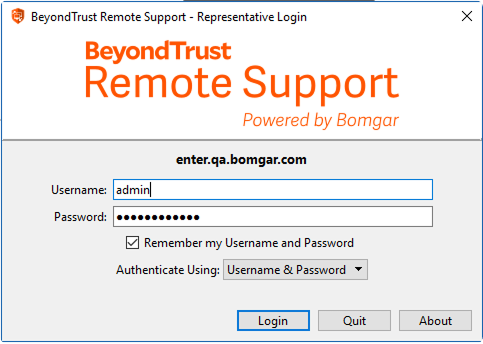
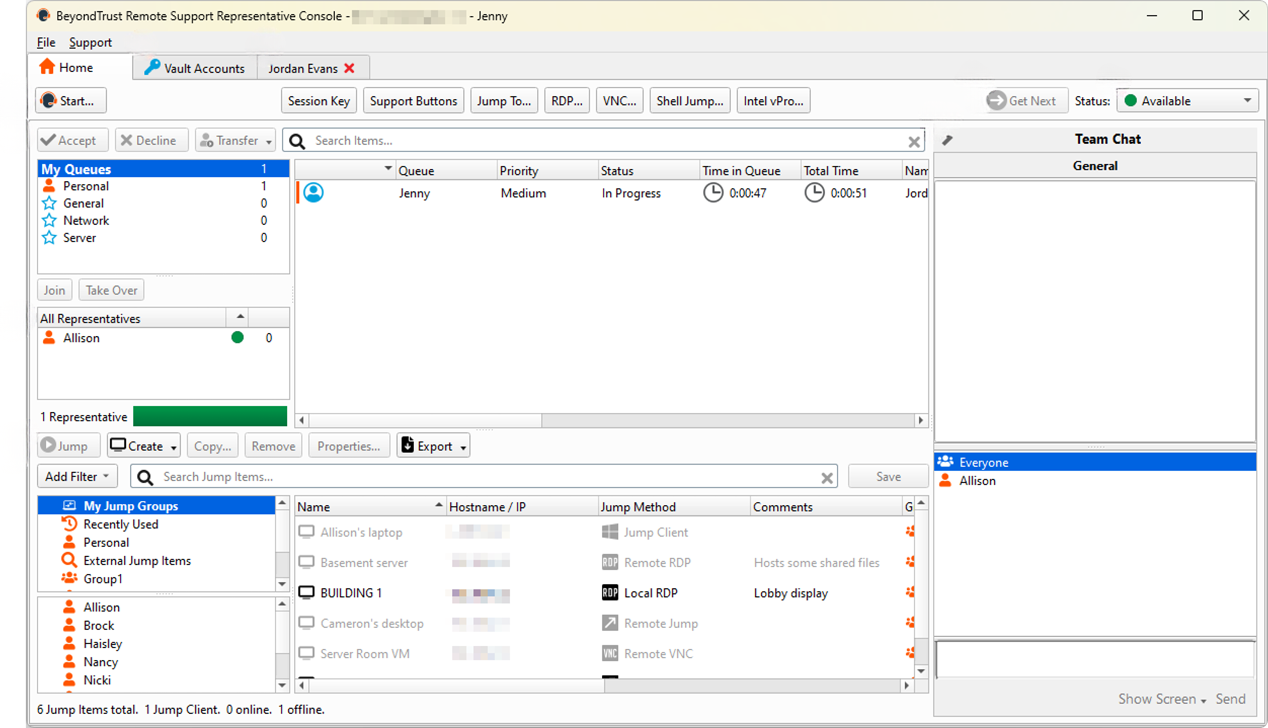
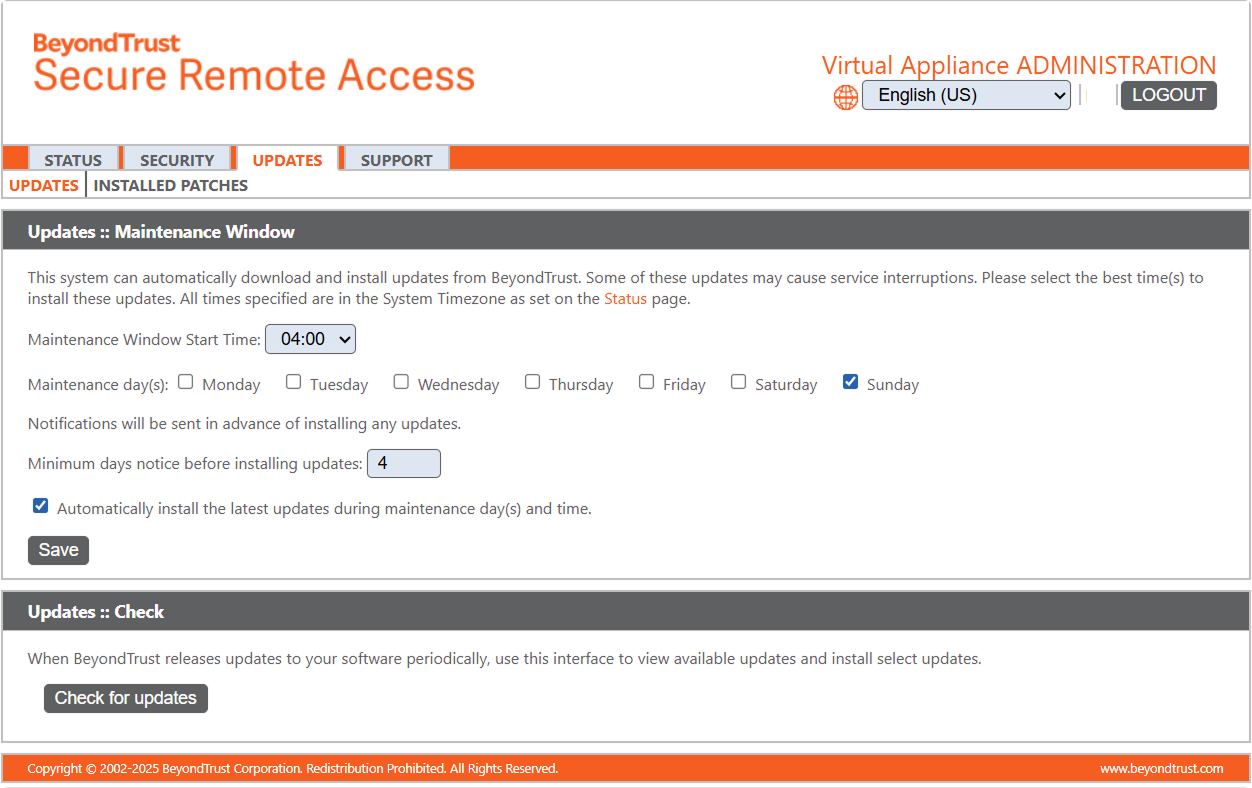
BeyondTrust’s (Bomgar’s) interface is focused on the Representative Console, which is presented on the desktop or through the Web Rep Console. There is also an admin portal with customized controls. Users generally appreciate its enterprise-like look and feel, as well as the convenient grouping of session tools in a toolbar. However, there is a steep learning curve for some functions. After users have configured the tool, it provides predictable and auditable service desk workflows.
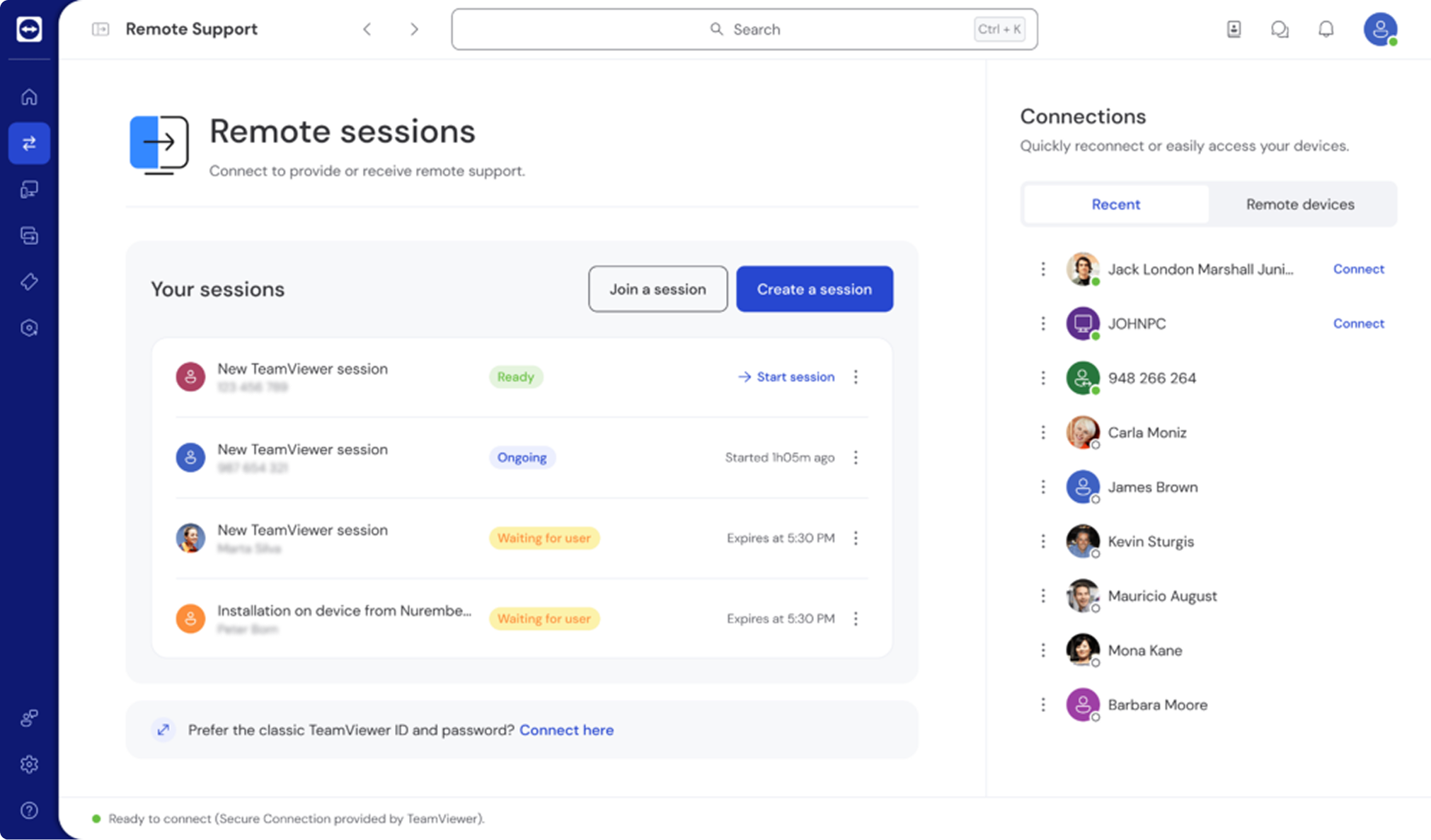
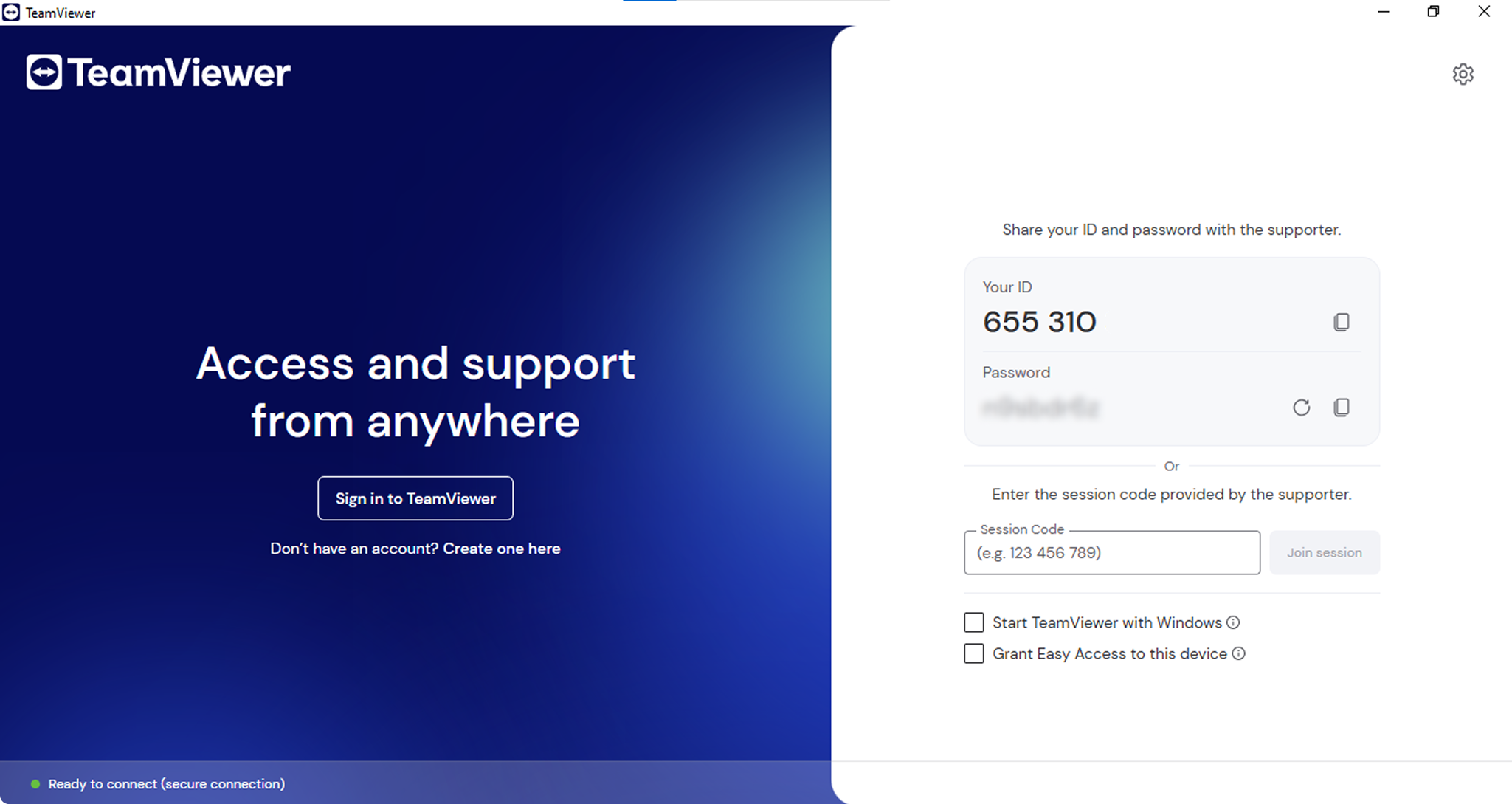
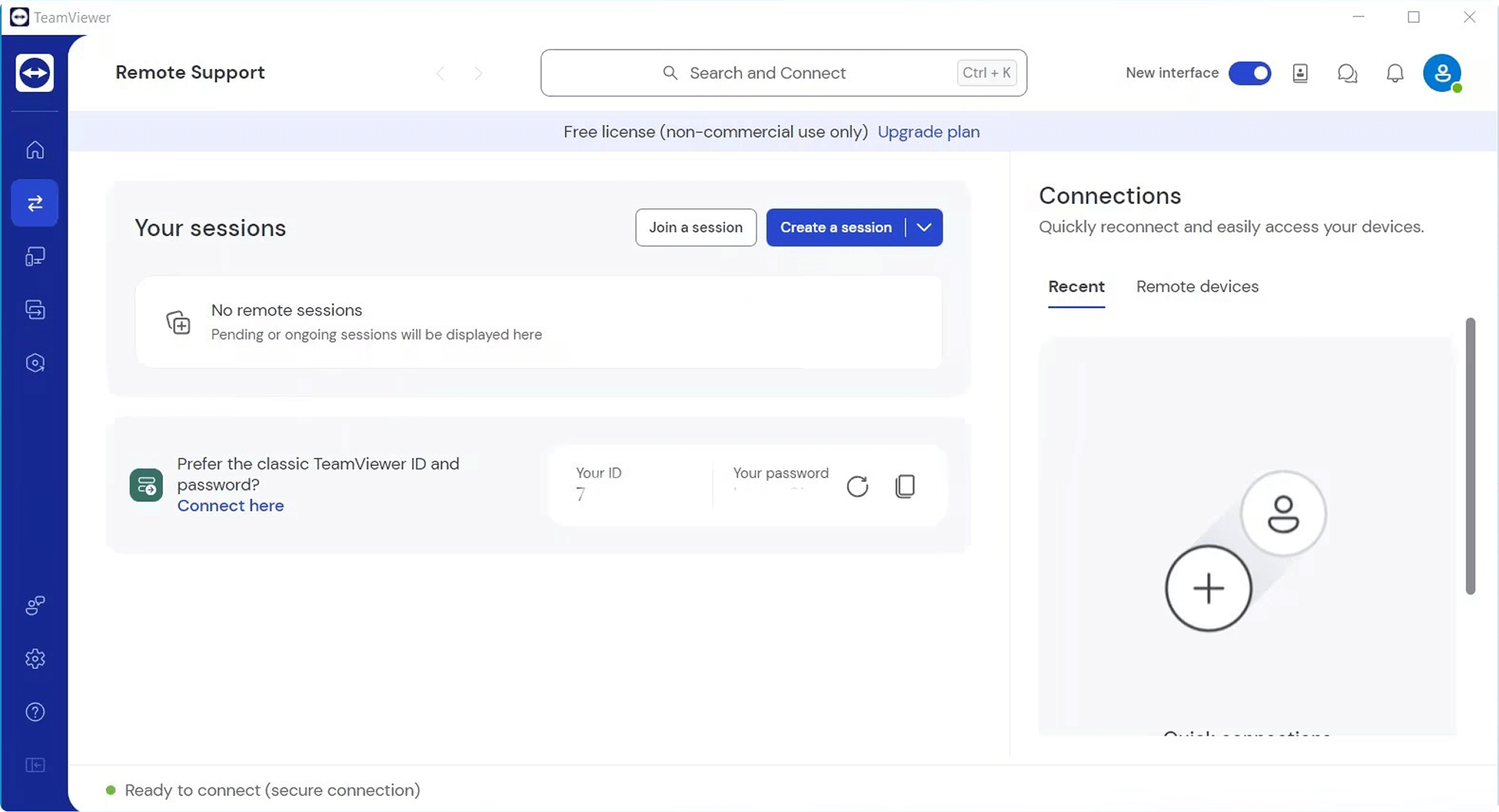
TeamViewer’s user interface is cleaner and designed to facilitate establishing quick ad-hoc connections with features like ID/Password and device lists. The UI offers a consistent, cross-platform layout. Technical users can easily navigate the tool, though some users report frequent updates and less organization as features are added. TeamViewer promotes speed over strict console governance.
As of November 2025, the latest license versions for BeyondTrust Remote Support and TeamViewer are as follows:
Operating System Support
You must select a remote support tool that reflects your commuting environment. BeyondTrust Remote Support and TeamViewer (Business and Premium) cover all primary desktop and mobile platforms, with some minor differences.
| Operating System | BeyondTrust Remote Support | TeamViewer (Business & Premium) |
|---|---|---|
| Windows | ||
| Linux | ||
| macOS | ||
| ChromeOS | (Chromebook sessions; web-based client has limited capabilities) | (app/web, screen-share only) |
| iOS / iPadOS | (screen share/remote assistance) | (screen share/remote assistance) |
| Android | ||
| FreeBSD | ||
| Raspberry Pi | (headless support) |
TeamViewer vs BeyondTrust Security Comparison
Security is essential in remote access tools that enable technicians to control users’ systems and data. BeyondTrust Remote Support and TeamViewer (Business and Premium) provide security with encryption and access controls using different governance models. The following security details refer to paid plans.
BeyondTrust Remote Support Security
- • Encryption in transit using TLS with strong ciphers; outbound-only HTTPS (TCP 443) presents a minimal attack surface.
- • Identity and authentication management with native 2FA, SAML/SSO, and directory integrations. Smart-card authentication is supported.
- • Designed with a least-privilege approach with granular session polices to control actions per portal, endpoint, or rep group.
- • Zero-trust security is supported with network segmentation and single-tenant appliance or private cloud options, safeguarding customer data privacy.
- • Credentials are secured with a built-in credential vault that supports credential injections, allowing technicians to use privileged accounts without needing to know the password.
- • Compliance support is provided with features and deployment options to meet regulations such as GDPR.
- • Auditing is supported with detailed event logs and optional video recording for later review.
TeamViewer (Business & Premium) Security
- • Encryption in transit with RSA public/private key exchanges for handshakes and AES-256 session encryption.
- • Secure connections are brokered through TeamViewer’s global infrastructure.
- • Access governance includes conditional access rules, device-based trust, and easy access for unattended devices.
- • Accounts are protected with 2FA, password strength enforcement, and trusted device lists.
- • Session controls with one-time session IDs and passwords, and logging for reviews and audits.
- • Ecosystem security with SAML SSO and user provisioning (SCIM) in higher tiers.
- • Compliance reporting to support regulated environments is available in enterprise tiers.
Customers should consult the vendor’s most recent security whitepaper and compliance posture to verify that the tool aligns with their regulatory requirements.
Usage Scenarios
The decision to implement BeyondTrust or TeamViewer should primarily rest on how and where you plan to use the platform. Below, we examine how both products address the needs of enterprise service desks, hands-on IT administrators, and individual users. This information can help you quickly find the tool that aligns with your security requirements, licensing needs, and deployment approach.
BeyondTrust (Bomgar)
- • Enterprise help desks – Best used when you want strong governance, auditable workflows, and on-premises or private cloud hosting. Features such as current-rep licensing, granular session policies, credential vault, and comprehensive audit trails support enterprise security and compliance requirements.
- • IT professionals – Best for centralized management of server fleets and network devices. Features supporting these tasks include Jump Clients for persistent access, web console, a real-time KPI dashboard, and least privilege policy controls.
- • Personal use – BeyondTrust is not designed for personal use as it is typically more expensive and too feature-rich.
TeamViewer (Business & Premium)
- • Enterprise help desks – Best when you need a fast rollout for a distributed environment with extensive device support. Features such as ad-hoc connections, remote printing, and tabbed sessions facilitate remote support tasks and problem resolution.
- • IT professionals – Ideal for teams that support multiple OS platforms and require fast remote access to servers and desktops. The tool provides quick connections, multi-monitor functionality, and optional AR add-ons for technicians in the field.
- • Personal use – Good for personal use with a free plan and simple installation for remote access to a home computer to assist family members in resolving issues.
BeyondTrust is a safer choice if you are working in a regulated environment where audits and policy-driven operations are required. TeamViewer is well-suited if you need speed, extensive reach, and minimal administrative overhead for your support teams. TeamViewer is also the best choice for personal use.
Integration
Modern service desks require integration with ticketing, ITSM, and SIEM solutions to enhance productivity and facilitate traceable workflows. The table below looks at the integration features of BeyondTrust Remote Support and TeamViewer (Business & Premium). As the chart indicates, some integrations are only available in TeamViewer’s higher tiers.
| Integration Feature | BeyondTrust Remote Support | TeamViewer Business & Premium |
|---|---|---|
| REST API | ||
| ITSM, such as ServiceNow | Higher tiers | |
| CRM, such as Salesforce | Higher tiers | |
| Single Sign-On (SSO) | Higher tiers | |
| Custom Branding | Premium and above | |
| Directory Integration | ||
| Embeddable Web Console |
BeyondTrust vs TeamViewer Pricing
When it comes to cost, BeyondTrust and TeamViewer follow very different pricing models.
BeyondTrust is quote-based and typically priced by concurrent representatives, security add-ons, and deployment options. TeamViewer offers tiered U.S. pricing for named users with concurrency via channels, as well as a free personal plan and a 14-day business trial. The difference between named users and concurrent-rep licensing can result in significantly different costs.
BeyondTrust Remote Support Pricing
BeyondTrust does not publish list prices. Potential customers must contact sales for a quote, which will be based on the deployment option, security add-ons, the number of concurrent representatives, and the support tier. Customers may see prices quoted by third-party sources, but should contact BeyondTrust for accurate pricing details.
TeamViewer Pricing
TeamViewer provides pricing details for many versions, with custom pricing for high-tier options. Customers can choose from the following plans.
- • The free version is for personal use only and provides limited functionality and session length.
- • Single-user Remote Access is $24.90 per month. It supports one licensed user, one concurrent connection via a single channel, and three managed devices.
- • Business single-user access costs $50.90 per month and increases the number of managed devices to 200 unattended and unlimited attended endpoints.
- • The Premium Teams version at $112.90 per month supports 15 licensed users, one channel, 300 managed devices, reporting, and up to 10 concurrent sessions per channel.
- • The Corporate Teams offering costs $229.90 per month and supports 30 licensed users, three channels by default, 500 managed devices, up to 15 concurrent tabbed sessions per channel, and advanced rollout options.
- • The Tensor (Enterprise) tier requires custom pricing and is designed for large organizations that require enterprise-grade security and governance.
| Pricing plans | BeyondTrust | TeamViewer |
|---|---|---|
| Free Personal | ||
| Free Trial | 14-day trial | 14-day trial (request) |
| Level 1 | $1,995/mo | $24.90/mo – Remote Access |
| Level 2 | Custom | $50.90/mo – Business |
| Level 3 | Custom | $112.90/mo – Premium |
| Level 4 | Custom | $229.90/mo – Corporate |
| Level 5 | Custom | Custom – Tensor/Enterprise |
Possible Errors and Restrictions
Below is an overview of the recurring issues and built-in limits users most often encounter with BeyondTrust Remote Support and TeamViewer, along with some potential resolutions to these common issues.
BeyondTrust Remote Support — common issues
- • Firewall/proxy blocks (TCP 443). Reps may see connection failures if the B-Series appliance or cloud endpoint can’t be reached over HTTPS/443. Check your outbound access and SSL inspection rules to isolate the problem.
- • Web Rep Console prerequisites. Users may encounter issues with outdated browsers or restrictive WebSocket/HTTPS settings.
- • Policy-blocked tools. Support Session Policies can turn off features such as file transfer or clipboard access. Review and modify your policy rules to correct these errors.
- • The Jump Client / Jumpoint is offline. Sessions can’t start if the Jump Clients lose contact or a Jumpoint is unable to reach its target. Check DNS, service status, and network access to identify the issue.
- • Certificate requirements for the iOS Representative Console mandate the use of a CA-signed SSL certificate.
- • IOS controls are limited to screen sharing with BeyondTrust, requiring user action on the device.
TeamViewer — common issues
- • “Commercial use suspected” timeouts can be caused by free accounts flagged for possible commercial activity.
- • “WaitForConnectFailed” indicates the partner did not connect and is usually related to DNS/IPv6 or routing issues. Flush DNS or disable IPv6 to resolve this issue.
- • “Not ready. Please check your connection.” These errors are typically caused by outbound filtering or blocked ports 5938/443/80 that need to be opened for the tool to work correctly.
- • “Unknown session” indicates version, handshake, or permission issues and can be resolved by updating both sides to the same software version.
- • Connection errors can be caused by proxy/SSL inspection interference.
- • Easy Access may require a password when access rights are not set to Full Access or services need to be restarted or reinstalled.
- • Outdated mobile clients typically generate version mismatch / “no route” errors.
Pros and Cons
This section provides an overview of the pros and cons of BeyondTrust and TeamViewer. TeamViewer concentrates on speed and reach via a cloud-first model with a large add-on ecosystem and is licensed based on named users and concurrent channels. BeyondTrust favors on-premises and private-cloud control, as well as enterprise identity and audit capabilities, and is licensed based on the number of concurrent representatives.
- • Deployment control with an on-premises appliance or private cloud.
- • Credential vaulting enables credential injection without exposing passwords.
- • Concurrent-rep licensing so costs align with active technicians.
- • Enterprise integrations with SSO/LDAP/ITSM/SIEM solutions.
- • Web rep console features a complete toolkit via browser.
- • Quote-based pricing can be high and difficult to budget.
- • License specifics vary with the contract and deployment.
- • iOS/ChromeOS provides screen sharing but no complete control.
- • Steep learning curve and complex rollout.
- • No native remote printing capability.
- • Network dependencies with 443/WebSockets/proxy allowances required.
TeamViewer (Business & Premium)
"Reliable and Easy-to-Use Remote Support Tool"— Read full review
- • Fast SaaS rollout and quick, ad-hoc connections.
- • Broad platform support for desktops, mobile devices, and Raspberry Pi.
- • Convenient file operations with drag-and-drop transfers and remote printing.
- • Tabbed sessions for streamlined multitasking.
- • Large ecosystem of integrations and add-ons for additional functionality.
- • Free personal and 14-day business trial for comprehensive evaluation.
- • Costs can quickly scale as more channels and users are added.
- • Administrative overhead with frequent prompts and a heavier client.
- • Commercial-use flags may cause timeouts on the free plan.
- • Entry-tier limits the number of devices and concurrent sessions.
- • Strict networks need allow-listing (5938/443/80) to open channels.
- • Advanced integrations require higher tiers.
Top Free Replacement for TeamViewer and Bomgar
HelpWire is a totally free remote-support platform that provides all the essential features needed by freelancers, MSPs, or small corporate help desks. The software lets you quickly establish remote connections and manage your team and clients without per-seat or per-channel licensing costs. You use a QuickConnect link to onboard a customer in seconds without struggling with passwords or access codes.
HelpWire features a clean user interface and a simple installation procedure, so new users are productive quickly. All functionality is accessed from a centralized dashboard. All data transmission is encrypted in transit to protect data privacy. The tool follows least-privilege best practices with role-based permissions to safeguard devices from unauthorized access. HelpWire is an inexpensive and functional alternative to more expensive options like TeamViewer and BeyondTrust.
HelpWire Key Features
- • Remote Access and Control provides attended and unattended support for ad-hoc problem resolution or persistent maintenance.
- • Quick Connect begins sessions immediately by sharing a lightweight link, eliminating password coordination.
- • Client and device management is supported by a directory of client profiles, which include device lists, notes, and session history.
- • Team workspaces let you invite coworkers, assign roles, and monitor a team activity log.
- • Real-time chat lets technicians provide timely help without changing tools.
- • Simple workflows streamline file transfers and clipboard sharing.
- • Smooth and optimized performance to help mitigate slow links and latency issues.
HelpWire is a practical alternative to TeamViewer and BeyondTrust. It delivers the core functionality required to address 90% of daily remote support tasks. The tool eliminates licensing concerns so everyone on the team can use it. More expensive options may have excessive features that you don’t need.
- • $0 licensing for personal and commercial use with no per-user or per-channel costs.
- • Fast, low-friction user experience with Quick Connect and a clean UI to minimize problem resolution time.
- • Native organization functionality to track clients and devices with centralized notes, session history, and team activity.
- • Provides key coverage with on-demand support and unattended maintenance.
- • Lack of mobile device control with a focus on desktop platforms.
- • No built-in session recording and audit reporting for compliance like that found in enterprise suites.
Final Thoughts
BeyondTrust Remote Support and TeamViewer are both reliable and popular choices. You must decide based on your workflows, compliance requirements, and budget.
BeyondTrust is a good selection if you require strong governance and audit capabilities in sectors like healthcare and finance. Compliance teams will like its granular session policies, appliance/private-cloud options, and deep directory/SSO integration. The tool will require a complex rollout, and pricing will be based on concurrent representatives.
Choose TeamViewer if you want speed, reach, and minimal admin overhead across desktop and mobile endpoints. Features such as its cloud-based model, remote printing, drag-and-drop efficiency, and tabbed sessions make it a productive tool for general IT support teams. Cost scales with named users and channels, so you need to budget carefully after trying the tool’s free personal plan or business trial.
Looking for an alternative solution? HelpWire offers a free option and delivers core remote support functionality. It has the features you need to provide fast and efficient remote support when you don’t need the advanced capabilities of enterprise solutions.
BeyondTrust (Bomgar)