
rdesktop – Linux RDP from the Command Line
- HelpWire
- →
- Blog
- →
- Remote Desktop Connection Linux
- →
- Remote Desktop Client For Linux
- →
- rdesktop on Linux Machine
rdesktop is a lightweight, console-based linux RDP client. It’s available on many Linux distributions and, as an RDP client, can connect both to Windows and Linux RDP servers. However, it’s also aging, and you may want to look for a replacement if you’d like to maximize the security of your RDP sessions.
The Benefits and Downsides of rdesktop
As a fully-CLI RDP client, rdesktop is launched with the “rdesktop” command that can include any necessary settings. Unlike its competitors, you don’t need to change any config files. Since it also gets saved to the command history, re-launching a session is as easy as pressing Up+Enter. Finally, the client supports SeamlessRDP, which isn’t present in many other RDP clients on Linux, and allows the session to be started for a single app or window on the host desktop. However, that’s where the benefits of rdesktop end.
The latest version of rdesktop was released in 2019, and it doesn’t support NLA. This makes the client dangerous to use on public networks, due to the risks that the host incurs by disabling NLA. This shouldn’t affect xrdp servers on Linux, but Windows sessions are often the primary intent of RDP tools. You also can’t save profiles, which means that you need to use the -p option for instant sign-in – an action that leaves the password open to anyone with access to terminal history.
All in all, you should either use rdesktop on local networks, or look for a better alternative – such as HelpWire, or the Remmina RDP client.
How to Start an rdesktop Session with Windows 11
-
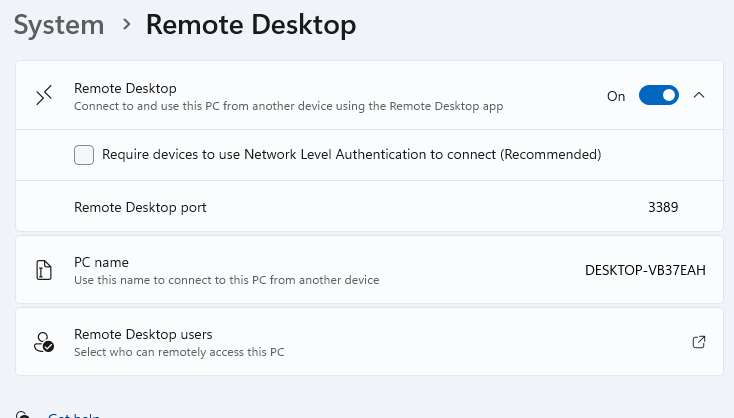
On windows, go to Settengs > System > Remote Desktop. Here, you can enable RDP. NLA needs to be disabled for rdesktop. You can also see your RDP port here.
-
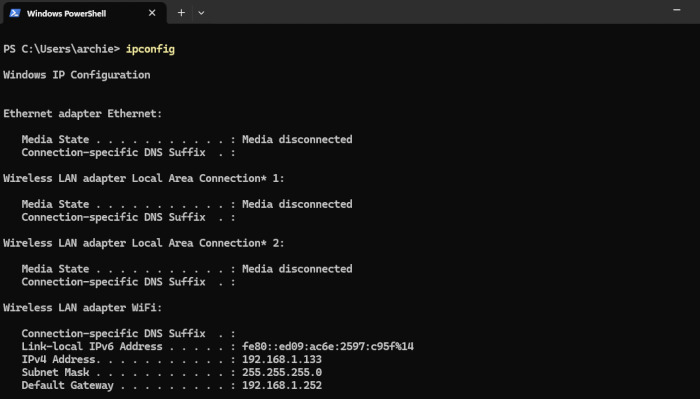
Run ipconfig in CMD or PowerShell (can be opened from the Win+X menu) to see your PC’s IP on the local network.
-
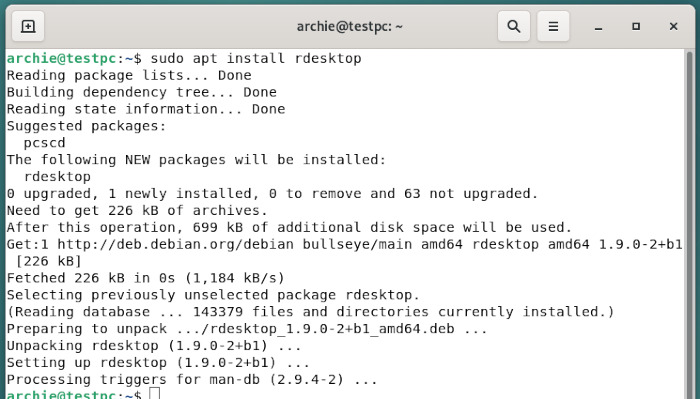
On linux, install rdesktop. In this example, we’re using the apt package manager.
-
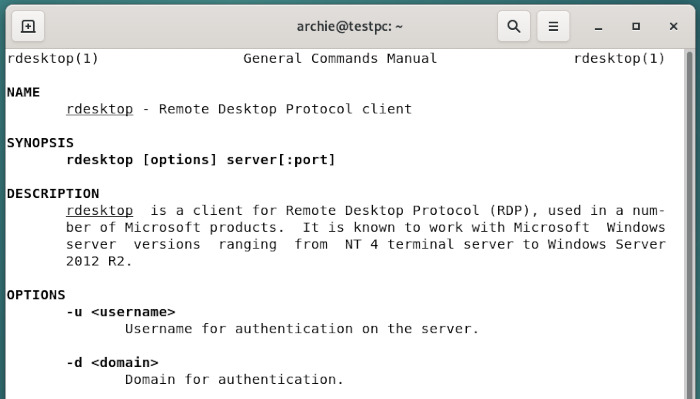
Since rdesktop has a console-based interface, you may find the “man rdesktop” command useful.
-
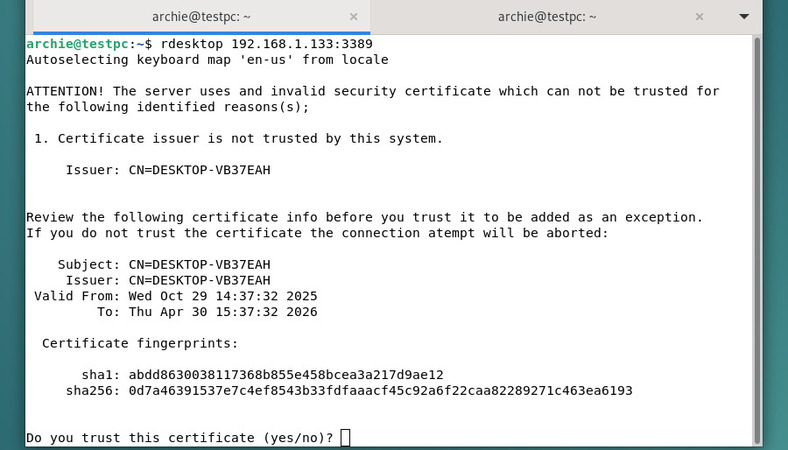
When connecting, you need to confirm that you trust the session host.
-
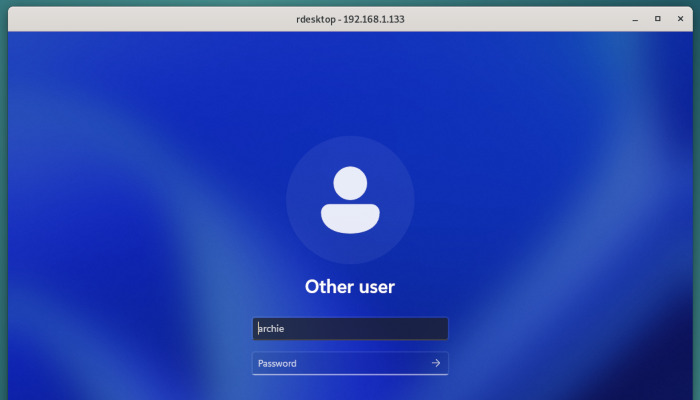
You can now log in.
HelpWire - A Newer Alternative to rdesktop
HelpWire is a free remote access tool that’s available on Linux and can connect to HelpWire clients on any supported platforms, which include the newest versions of Windows and macOS. Since it uses HelpWire servers, all the connection setup is handled for you – and it doesn’t require you to lower the security of your RDP server with the NLA setting. HelpWire is regularly updated, with new features and improvements added on a near-monthly basis.
-
Fast
-
Secure
-
Free
-
Cross-platform
Try HelpWire today.
Remotedesktop-Client: A GUI Version of rdesktop
How to Use Remotedesktop-Client
-
Launch Remotedesktop Client from Applications > Internet.
-
Click “Down” to expand the setting window. The default settings may prevent you from connecting. Switch from Windows NT/2000 to XP/2003 and clear the Username field.
-
Enter the Windows machine’s IP address and RDP port.
-
You are now connected.