
Is RealVNC Safe? We Examine its Security and Risks

RealVNC is a modern remote access application with security features such as controlled access, authentication, and data encryption. It can be a safe solution for remote access when configured correctly. A faulty configuration may result in cyberattacks and unauthorized access by exposing remote desktop servers to Internet traffic.
This article explores RealVNC security risks that may arise from improper configuration.
Is RealVNC Secure?
RealVNC can be considered secure when properly configured with strong authentication, encrypted connections, and restricted network access.
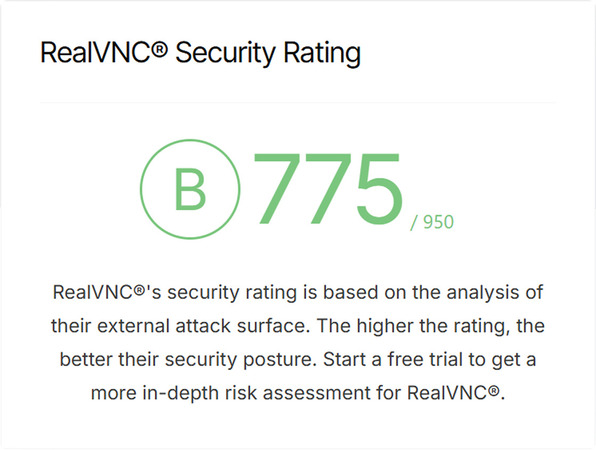
Security Rating by UpGuard:
Modern versions of VNC provide:
- • Account-based authentication
- • Optional multi-factor authentication (MFA)
- • Encrypted connections for data protection
- • Granular user permissions
- • Secure connection methods
RealVNC is not secure by default and can present vulnerabilities when configured poorly.
VNC security risks are often caused by issues such as:
- • Using weak passwords
- • Running outdated software versions
- • Missing firewall or access rules
- • Publicly exposing ports with direct port forwarding
Even a secure remote desktop platform like RealVNC can be compromised by misconfigured security parameters.
How Does RealVNC Security Work?
RealVNC security relies on a combination of encryption, secure connectivity methods, authentication, and access controls to protect connections between users and devices. When configured correctly, these security layers make RealVNC a secure remote access solution for professionals and casual users.
Encryption
Users often ask, “Is VNC encrypted?” The answer is yes. The software encrypts all data transmissions to prevent unauthorized access. Encryption substantially reduces the risk of threat actors monitoring or compromising your data.
The specific benefits of encryption include:
- • Keyboard, mouse, and screen content is protected
- • Passwords are not visible in plain text
- • Data is protected from unauthorized use on public networks
Secure Connectivity
RealVNC leverages connection methods that do not expose its services directly to the Internet.
The software reduces the attack surface and limits direct exposure by avoiding the use of open inbound ports. RealVNC’s connection techniques provide greater security than simple port forwarding and hide devices from public scans, minimizing the risk of automated cyberattacks.
Authentication
RealVNC can authenticate users to prevent unauthorized access to the remote desktop environment. Authentication minimizes unauthorized access and protects against brute-force attacks.
Users can configure RealVNC to implement these authentication actions:
- • Verifying passwords
- • Supporting account-based logins
- • Providing approval for trusted devices
- • Enforcing multi-factor authentication
Access Controls
RealVNC enables administrators to control user activity after users connect, minimizing damage if an account is compromised.
Teams can configure access controls to determine:
- • If a user can connect
- • The devices a given user can access
- • The user’s permissions
- • If sessions are monitored or restricted
RealVNC can be secure over the Internet as a remote access solution when properly configured with encryption, authentication, and access controls, combined with secure connection methods.
RealVNC Security Risks and Common Vulnerabilities
The following are the most common risks to RealVNC
- • Publicly accessible servers: Exposed servers can be detected by automated scanners and targeted for cyberattacks or exploitation. Exposing ports like 5900 directly should be avoided in favor of VPNs, firewalls, or encrypted connections.
- • Obsolete software: Outdated software versions may have known vulnerabilities that threat actors can exploit.
- • Weak passwords: Short, simple, or reused passwords facilitate brute-force attacks, which, if successful, give the attacker full control of the remote desktop.
- • Lack of encryption: Unencrypted data can easily be compromised by unauthorized users.
- • Misconfiguration: The tool can become vulnerable due to issues such as:
- ⚬ Too many users;
- ⚬ Excessively broad permissions;
- ⚬ Inadequatefirewall rules;
- ⚬ Unmonitored logs.
Best Practices to Enhance RealVNC Security
The following best practices and security checklist can help minimize RealVNC vulnerabilities and reduce the risk of unauthorized access to remote desktops.
One of the most impactful actions you can take is to ensure you are running the most recent version of the software. You should:
-
Install security updates promptly.
-
Enable automatic updates if possible.
-
Remove legacy and unsupported versions from your systems.
Security Checklist
The following security checklist provides a good baseline of activities to secure RealVNC and reduce its attack surface. Most security incidents result from skipping one or more of these steps.
-
Enable encryption
-
Use long and complex passwords
-
Enable multi-factor authentication
-
Don’t directly expose port 5900
-
Restrict access by device or IP address
-
Use secure relay methods or VPNs
-
Limit user permissions
-
Install all updates and patches
-
Disable unused features
-
Monitor login attempts for anomalies
-
Review logs regularly to look for suspicious activity
When RealVNC Might Not Be Your Best Choice
RealVNC may not fit your specific use case, even when securely configured. Teams that support non-technical users or large device fleets may want a tool with features such as:
- • Centralized management
- • Robust, default security
- • No manual network configuration
- • Hidden ports
These solutions reduce configuration mistakes that can introduce security vulnerabilities. The manual configuration required to secure RealVNC means a small mistake can have serious security repercussions.
The Best Secure Alternative to RealVNC
HelpWire is a secure alternative to RealVNC that offers users a simpler and less risky remote access solution.
HelpWire’s Key Security Features
HelpWire is architected with default security that reduces misconfiguration risks, avoids exposed ports, and minimizes the attack surface.
- • Fast setup with minimal configuration
- • Default encryption for remote sessions
- • Strong authentication and authorization
- • Permission-based access for all sessions
- • Secure cloud-based connections
- • No publicly exposed ports or direct port forwarding
Read more about key security features of HelpWire.
HelpWire eliminates many typical risks and common attacks seen with RealVNC by not directly exposing devices to the Internet. HelpWire is a practical and secure remote desktop solution with built-in default security, eliminating the need for manual configuration.
FAQ
VNC can be safe when configured properly. Poor configuration can expose remote desktops to cyberattack. Users must use strong passwords to improve VNC security.
Modern VNC solutions, such as RealVNC, support encryption, but may require manual configuration to ensure it is implemented correctly.
Common VNC security risks include exposed ports, misconfigured permissions, weak passwords, obsolete software versions, and brute-force attacks.
Both RealVNC and Windows RDP can be secure when configured properly. One drawback of Windows RDP is its predictable default port, which threat actors can target. RealVNC can avoid this issue by using cloud connections, but it requires some manual hardening, such as VPN and firewall configuration.
RDP is a good choice for Windows environments with a VPN. RealVNC offers better cross-platform support but requires proper configuration to ensure security. HelpWire provides maximum security with no configuration, enforcing secure connections and encryption by default.